
NotePlan
NotePlan
May 10

Add link to expandable note titles in references ("→")

I sometimes find myself in a note that is referred to in another. That's the point of links, eh? But there's no good way to get to the referring note. The attached snap shows a note that is linked to from the one I want, but the only mention of that note is just text, not interactive. And the bullets underneath are merely links to the current note, which are also not useful as they are just list of backlinks to right here.
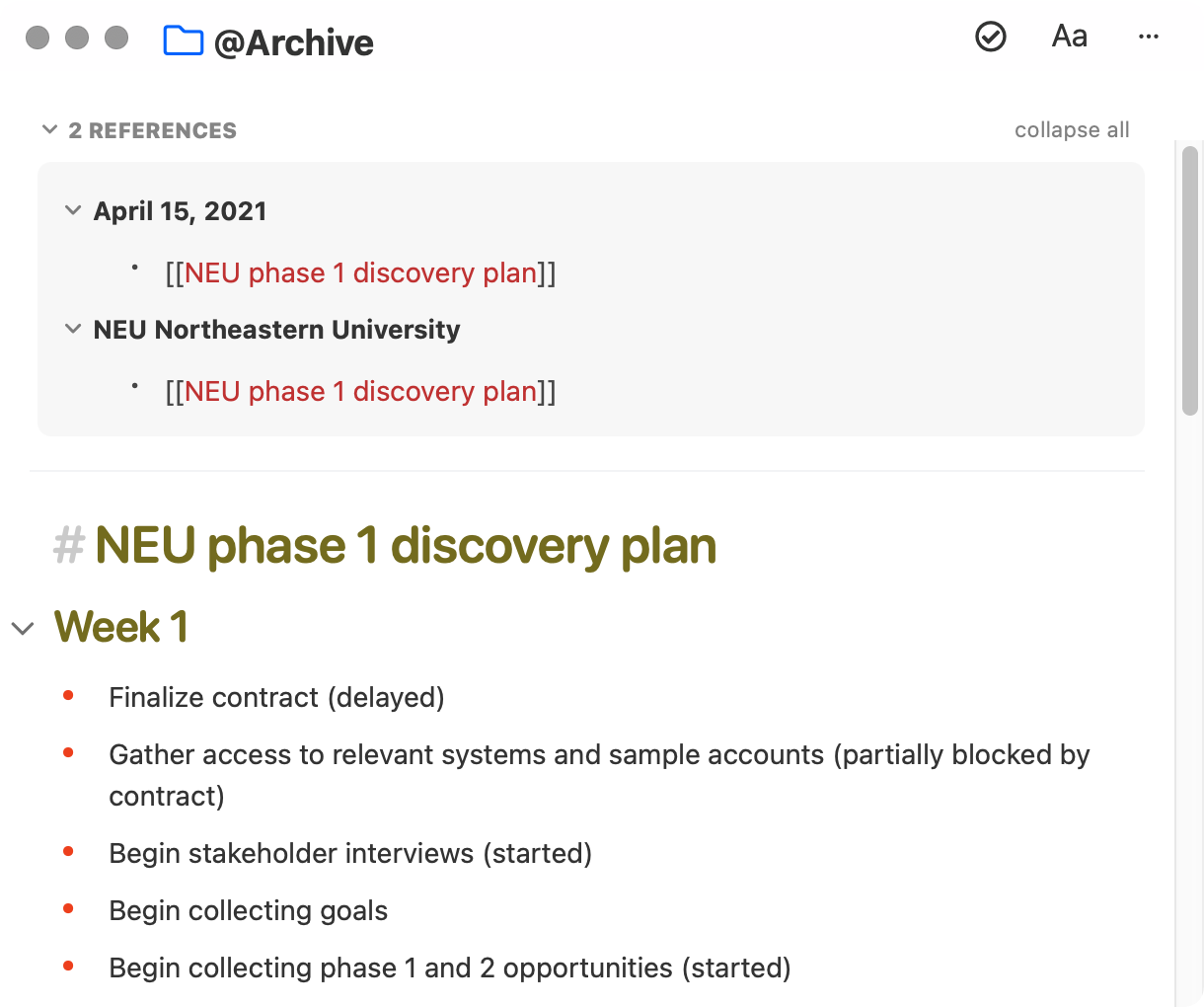
PendingPending

Feb 23, 2024

Really missing this option.

May 10, 2021

I think there's some confusion here, caused by this somewhat unique case: - if you click any of the "backlinks" displayed in the References (=lines that include [[NEU...]]), it *should* take you back to the source note, with the line including the [[NEU...]] forward link highlighted. Agree this is confusing in this case, where [[NEU...]] is the *only* text on the line. If it had plain text around it, it might be clearer what is going on. Also, the forward links often have a containing Heading for context (which would also be presented in References and would be clickable). Perhaps different backlink-specific styling of that [[NEU...]] might make it more obvious? The other issue is that the action of clicking the note title in Refs currently folds/unfolds the References. One solution might be to make the Note title clickable instead, as you say, and compel the user to click the down arrow on left to expand/collapse the reference. And/or, add a "link" icon next to the note title in the right margin to also navigate to that note. This was discussed a while ago, but some folks didn't like it. Maybe Eduard Metzger remembers why

May 25, 2021

Rob Grace: A button could be added similar to an arrow '→' to open the note without unfolding. But I agree, the best case is that you "embed" the link to a some paragraph, so you get some more context and "flows" into the sentence.

May 10, 2021

Yes. In the Week view, the reference display nicely shows the title. I wonder if that could be the view elsewhere? I think that would solve your scenario.