
Mar 3
Apple Pencil / Sketching Support
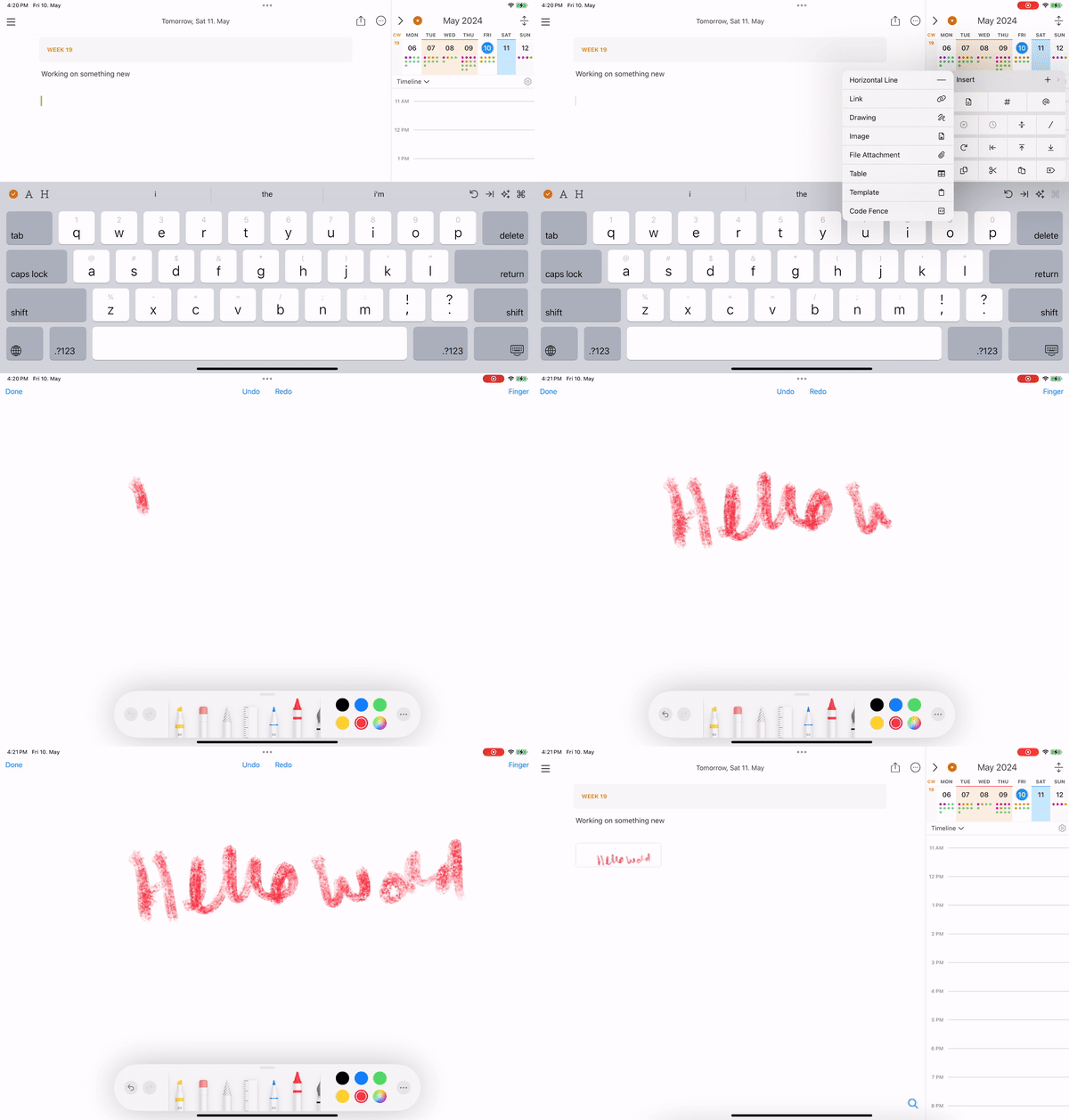
Especially on iPad, allow drawing or sketching an image and save as (ideally editable) image inside the note.
Completed
A few extra clarifications on the feature: - Make the canvas infinite - When you view the note itself, the zoomed-out view should view the whole note zoomed out (as it does now), even if infinite canvas - Handwriting conversion option - Be able to define language and have global search, search the handwritten notes
Ryan McCool: Thanks for the extra points! It's kind of infinite, but you need to fill it with content first, then you can scroll with two fingers
just simple yet perfect!!! really nice that it works on iphone too just for finger jotting down really nice that on mac it is recognized as png from where you can extract text i wonder if it could be searchable but this is for another update… 😄 Thank you Eduard!! We have been waiting long for this feature!!
Making progress!
Please omg need
+1 One of the main benefits of actual sketching (including words, connectors, and jots/shapes) is the spatial arrangement, which allows us to keep notes without thinking of and committing to linear organization from the outset. I can take such notes in other apps, but switching to and from apps ruins a flow that could be seamless in Noteplan instead. Such a feature would be invaluable for iPad users.
The best hand writing and sketching experience I found in the Nebo.app They provide sdk https://app-support.myscript.com/en/support/solutions Maybe you could integrate with them somehow?
Maybe adding Excalidraw could be a fast and easy option.
Would be great if it worked similarly to the way that apple notes works, rather than just injecting an image into the note.
An even better way is to import a blank jpg or a jpg with dots or squared paper background. By doing this you can preview inside the note the handwritten note. (photos are being previewed in contrast with pdfs) But you cannot write with the pencil directly to the imported document. You should first tap the document to open it and then write. I think we can take ideas from Panda Writer for the implementation. There is a button to add a note. This adds something like a sketching area where you can write. Ιn Panda you can write directly on the note without firstly opening it. Some other niceties are the support of shaping, the ability to extend the note and of course the shadow of the sketching area while in edit mode.
Haris Sav: This Bear/Panda example is cool Eduard Metzger...if there's any way to move in this direction, it would be awesome.
With 3.2 beta you can embed a file. you can embed a blank pdf to use it as a canvas to write with apple pencil. Unfortunately you can see the handwritten note only if you preview the embedded file. But thats a great start!!
It's available now on the App Store: https://noteplan.co/changelog/v3.12-drawing-support