NotePlan
NotePlan
Dec 13

Bug with iOS calendar when tapping on Month-Year

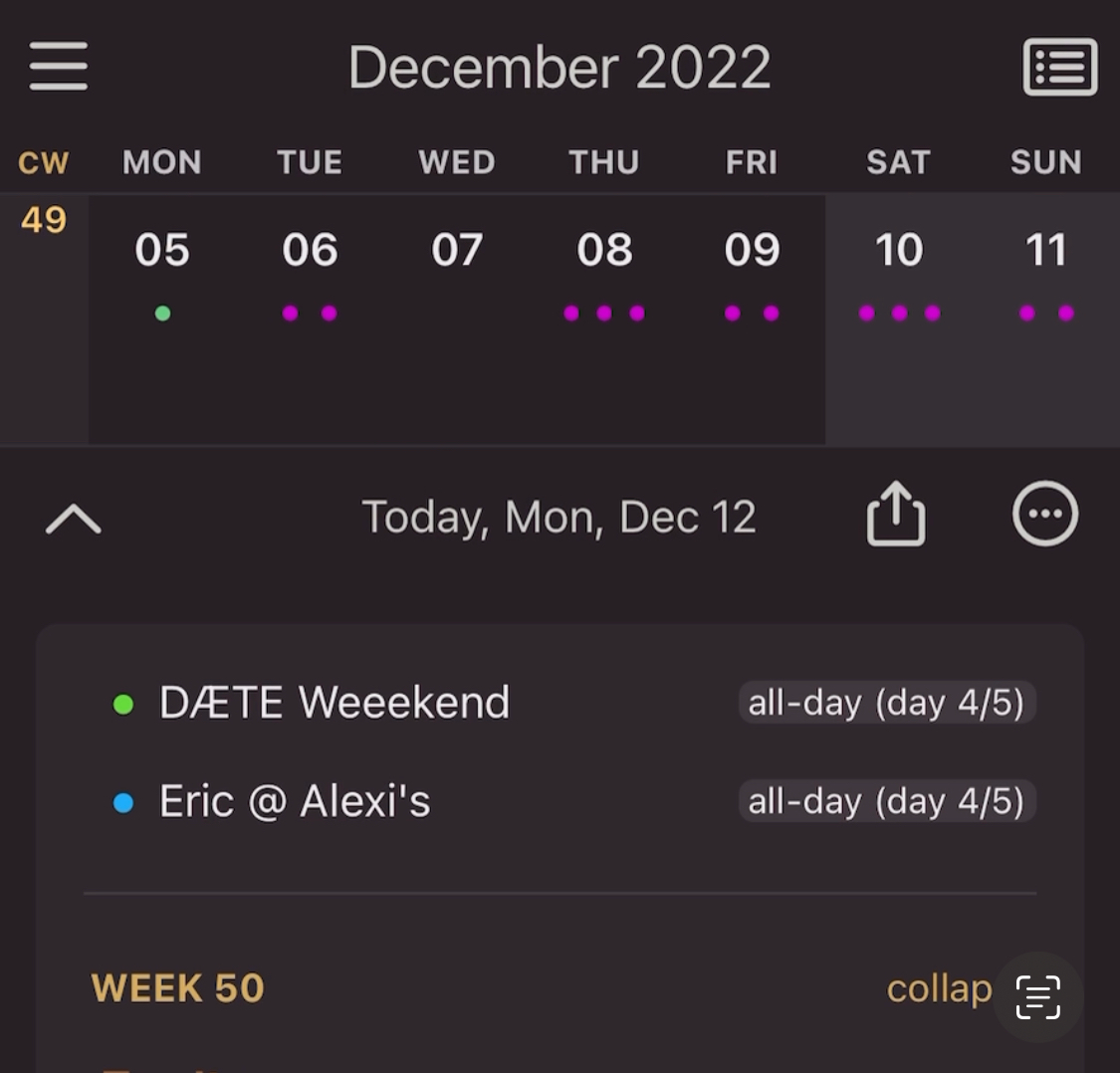
If it's Monday, tapping at the top of the calendar takes me to Sunday of the previous week. In this example it's Monday 12th of December, W50. Tapping on "December 2022" scrolls the weekly view to W49.
PendingPending

Nov 16, 2023

I ran into something like this yesterday. On 2023-⁠11-⁠15, I was trying access dates in 2024 on my phone (I use NP on both iPhone and iPad). I scrolled the right sidebar calendar to January of 2024 and tapped the 12th day in the calendar. NP brought up the daily note for 2024-⁠01-⁠11. I was in a doctor's office, trying to record future appointments, so I couldn't focus on the bug to figure it out, but this behavior was consistent for the whole time I was trying to record several monthly appointments extending into February, 2024. At the time, I figured it was a one-off bug caused by next year being a leap year and I just clicked on the wrong date to get the daily note I wanted. This morning (2023-⁠11-⁠16), I'm not seeing the problem. When I click on a date in 2024, the correct daily note is displayed. However, my issue seems different enough that I'll post it as a separate bug.

Apr 10, 2023

However when the calendar view is hidden, tapping on "Week xx" at the top will take me to the right week, week 15.

Apr 10, 2023

Hi Eduard, I still have this bug. It's Monday today week 15 and if I tap on "April 2023" the calendar scrolls back to W14.

Dec 18, 2022

Thanks for sharing this! Meanwhile, there had been more updates, do you still see this issue? I have trouble reproducing it. Let me know if you can figure out how. I'll try tomorrow again (monday).

Dec 19, 2022

Eduard Metzger: I tried again this morning and the same thing happened. I'm running v3.7.1(905) on iOS 16.2.

Dec 19, 2022

Éric Leclercq: Thanks for checking, ok I was running the Testflight beta: https://testflight.apple.com/join/fm9q4OjE And just tried it again, it seems to be ok on my side. Might be it got resolved. I'll try the AppStore version (your version). Edit: Just checked with the appstore version, seems to scroll correctly, too, for me. Hmm.., let me think what that could be, but it's possible that it's fixed in the Beta (I made some changes in this regard).

Dec 20, 2022

Eduard Metzger: I have a feeling the bug is not just for the calendar but also the handling of first day of the week. This morning the title bar shows the number of due tasks from last week. It didn't yesterday.

Dec 20, 2022

Éric Leclercq: Interesting, which regional settings do you have on your iPhone (the country you selected and other date related settings)?

Dec 20, 2022

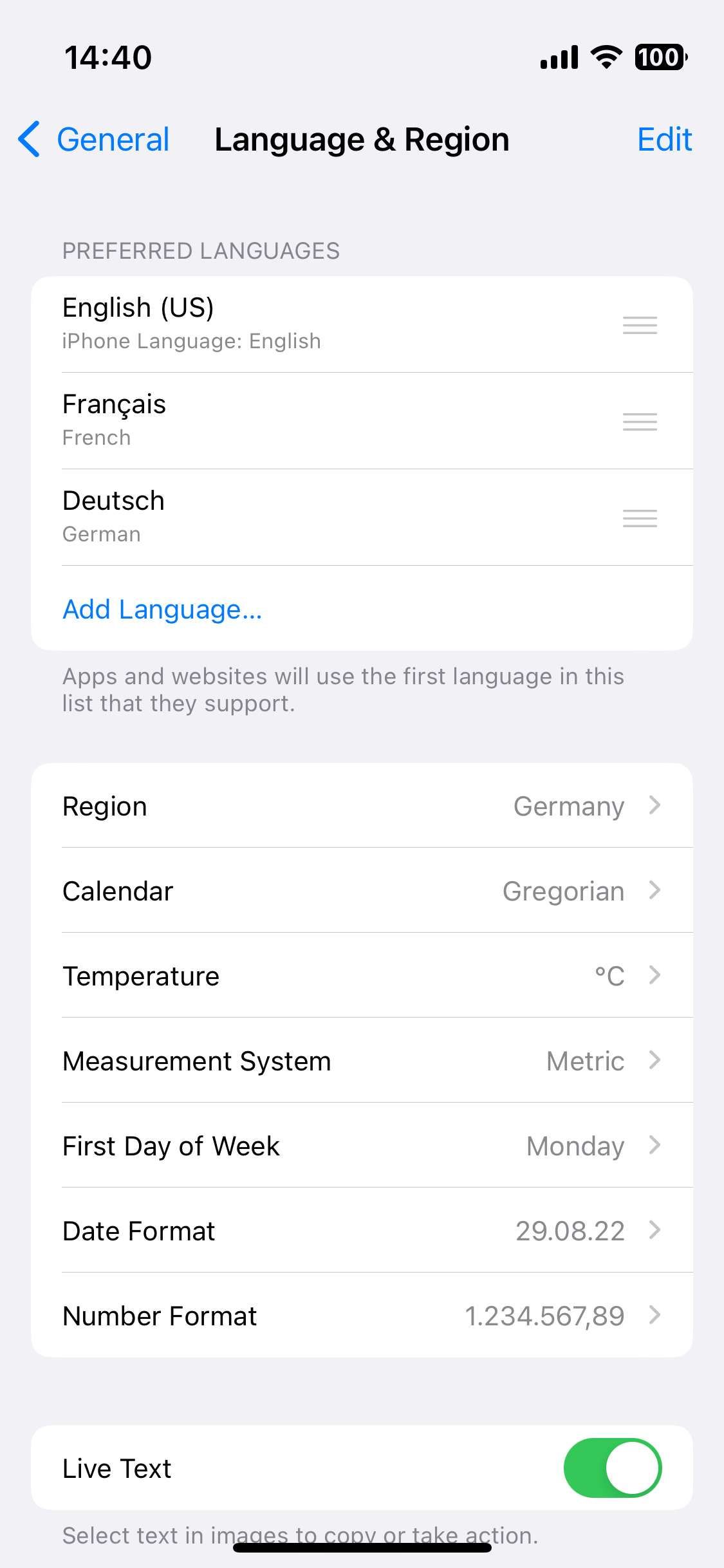
Eduard Metzger: here's my setup

Dec 21, 2022

Éric Leclercq: Thanks, Ill try to set mine up in a similar way and see if I can reproduce it today!