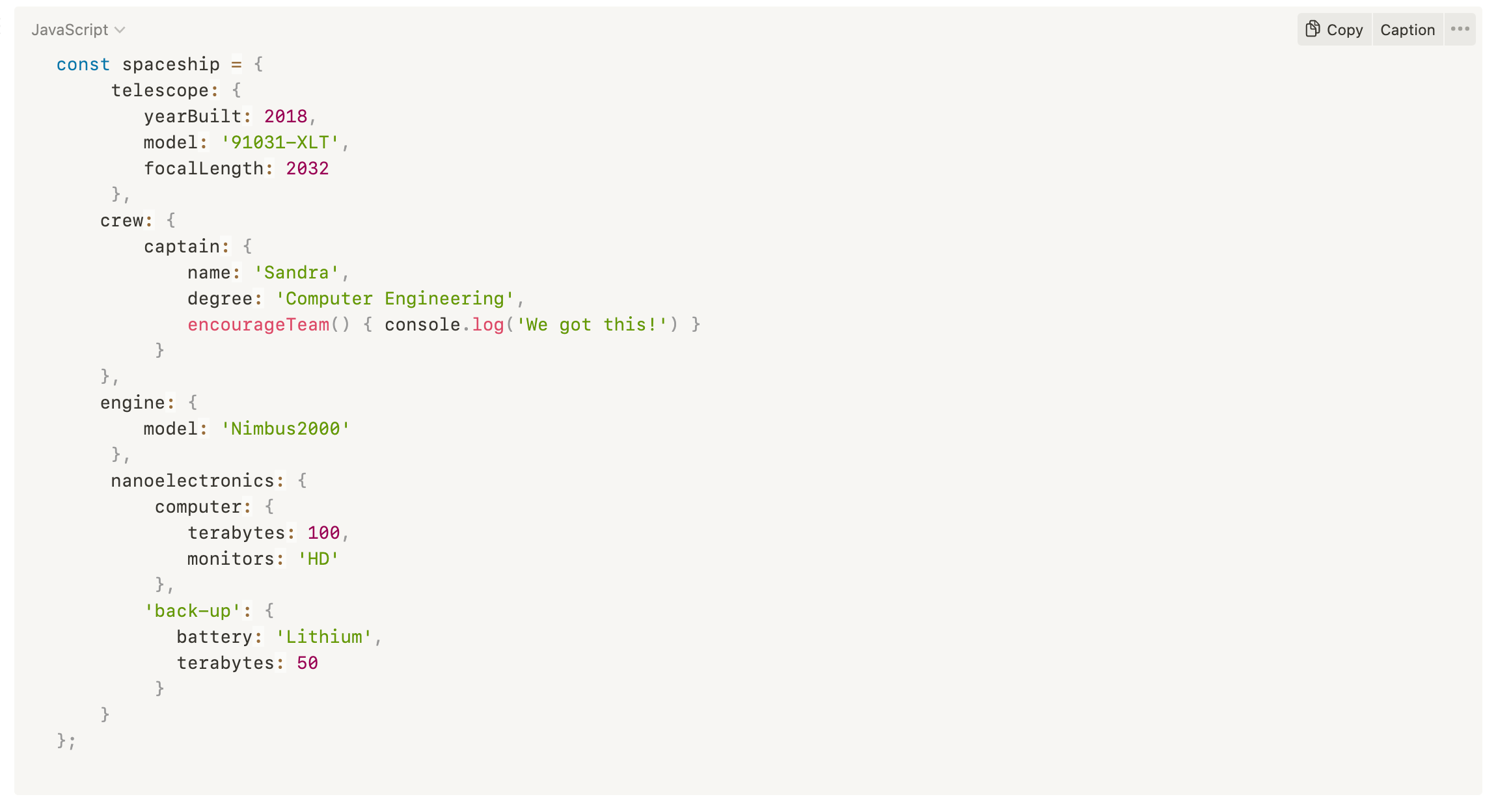
It will be good if it can identify the language when creating new code blocks. Useful when creating notes without having to type ```language each time. Create automatic code blocks without having to close with backticks i.e. ``` write here ```. Similar to Notion's function!
J: Automatic language detection works. But I didn't get the second point. About "Create automatic code blocks without having to close". You mean as an inline block?
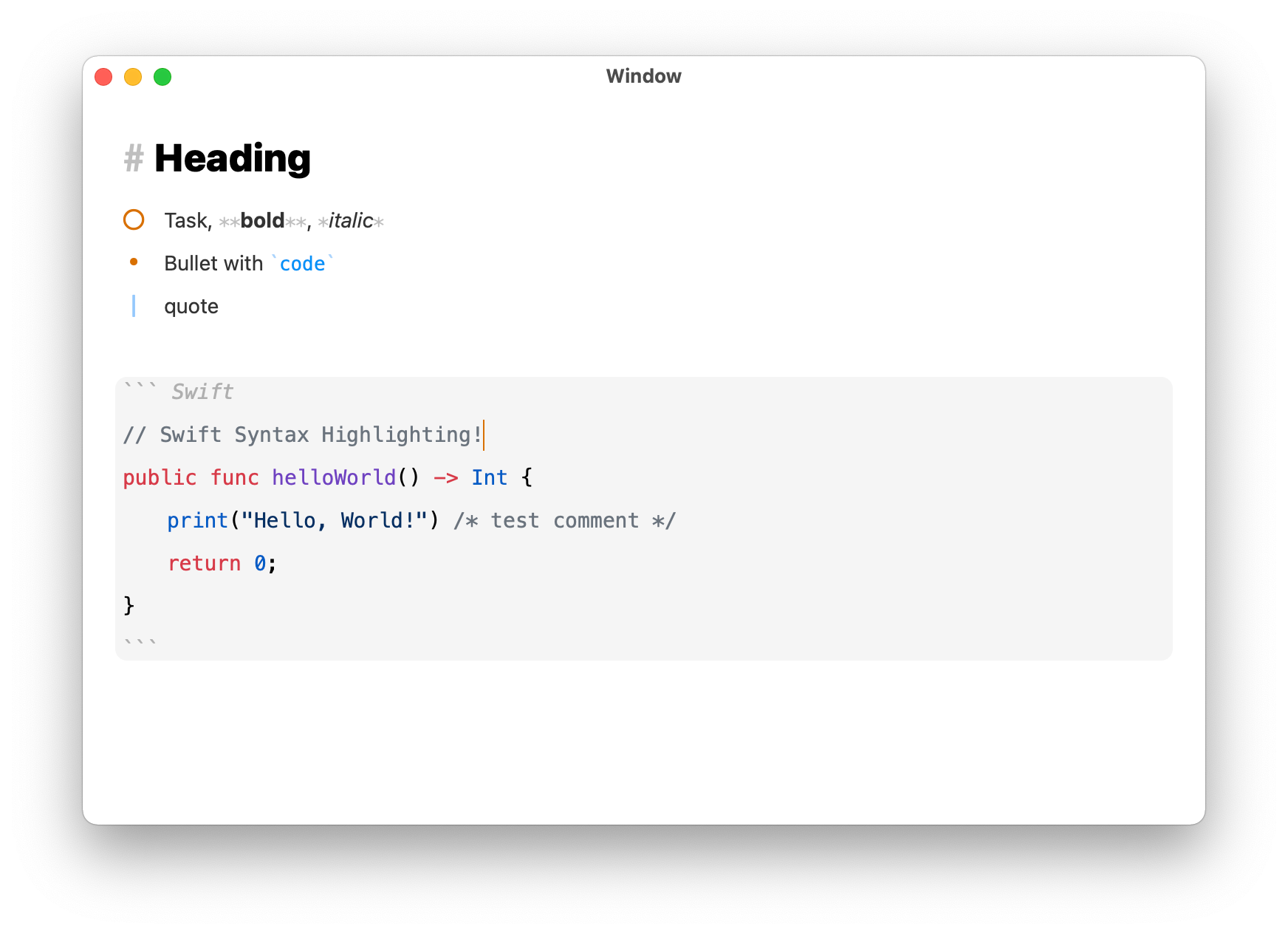
We got some progress! A freelance developer is helping me with this in parallel. It will probably be added in the release after the next, which is due soon. It's already working, but needs some tweaks and heavy testing. Expect a beta after the upcoming release and join Discord to get notified about this beta. Discord: https://discord.gg/D4268MT TODO: 1. Better rendering performance. 2. Ignore tags within code fences.
Happy to report progress on this. Have hired a developer to work on this in parallel. See prototype screenshot.
Eduard Metzger: This looks great. One important aspect is that syntax like #include, #define,etc. aren’t recognized as tags or mentions.
Eduard Metzger Paul Sydney: Chiming in on this: the `@property` (for example in Python) shouldn't be recognized as an at-tag in NotePlan.
Paul Sydney: Yes, this is the missing piece. I'm just waiting for the performance and language support to be ready, then in the next-to-next release we could have this.
Yes please and thank you. I have found that Typora is great for code blocks.
Assuming you can run the fenced code through a javascript module, these libraries could be useful in implementing this feature: https://github.com/wooorm/lowlight https://github.com/wooorm/refractor highlightjs and prism are widely used and will have syntaxes for most commonly used programming languages.
Some sort of "Copy"-Button would be also very nice. Or some other ability to easly copy from Code Section.
Three tildes `~~~` as additional syntax for fencing would also be nice. https://www.markdownguide.org/extended-syntax/#fenced-code-b…
Rhubarb: ~~~ is often also used to add a divider so lets stay away from that.
I would add to this also inline code blocks, like `something`. Even without syntax highlighting, different font and/or color would be enough.
Anton Sklyar: Inline code is already working or you want to change the style? You can create a custom theme now to change the background for example and make it more visible. You mean this?
Eduard Metzger: Ah, sorry, you’re right. But it is quite hard to use that on iOS because ` symbol is deeply hidden on iOS keyboard. Maybe you could add quick formatting button near bold and italic buttons?
Anton Sklyar: Yes, true. There is no button on iOS for this. I'll check how to solve that. Probably another button.
Eduard Metzger: there is, you need to switch to numbers keyboard and long press ‚{ key to get `
Marcin Ignac: Doable, but inconvenient. You need a tap, then a long tap, and then another tap - just to make that symbol.
Eduard Metzger: just a kindly reminder on this one. Neither inline code blocks nor code fencing is easy to use on iOS because we lack a quick button out there and entering a backtick manually using iOS screen keyboard is a big pain.
Anton Sklyar: Good point, I had it on the list, but didn’t get around to add it. On iOS it could add the opening and closing brackets automatically or just one of them? Need to check how other apps are handling this.
Fully functional now and available in the latest beta on discord. Will be shipped (soon) in the next official release. I know there are more features we could add, like a copy button. Please post this as separate feature. On purpose I had to draw the line somewhere, because we also need to ship :) Best, Eduard