NotePlan
NotePlan
May 10

Collapse all, expand all in Notes sidebar

As the title suggests, there is no way to collapse all the top-level folders. Collapse all and Expand all for a folder, and for the Notes heading itself (to expand/collapse all top-level folders) would be nice.
CompletedCompleted

May 10, 2021

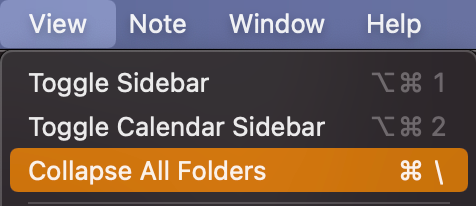
It's implemented (this was a quick one) and available in the next beta and official release! Hope the shortcut (CMD+\) is not conflicting with anything.

May 10, 2021

Eduard Metzger: Uh oh, that totally conflicts with 1Password’s global shortcut!

May 10, 2021

Also, thanks, crikey that was quick!

May 10, 2021

Daniel Terhorst-North: Ah no, what about CMD+. or CMD+', CMD+- ?

May 10, 2021

Eduard Metzger: tbh I I don’t really use shortcuts for that kind of action. I’m usually clicking around in the files and folders anyway by that point! I don’t know the other shortcuts, so I would go with whatever seems to match other open/close functions. Perhaps Option-Cmd-/ to go with the Cmd-/ block toggle?

May 13, 2021

Daniel Terhorst-North: Changed it to Option+CMD+/!

May 10, 2021

I agree to collapsing all folders, but why would you want to expand all? And you can collapse the Notes heading. Just hover over it. I just added also a collapse all function, please check the second screenshot, because also need this badly and it was easy to add. Let me know if we can close it with this.

May 10, 2021

Eduard Metzger: I agree you don't really need an "expand all", I just like the symmetry! Does "Collapse all" recursively close everything or just close all the top-level folders? In other words, if you have some subfolders open under `1 - Slipbox`, will they still be open when you reopen the folder, or does it reset all the folders to closed?

May 10, 2021

Daniel Terhorst-North: Just checked, it collapses all the sub-folders on all levels as well. I can turn this off? I'm fine with both.

May 10, 2021

Eduard Metzger: I think that makes more sense. “Collapse all” is a kind of reset in my head.