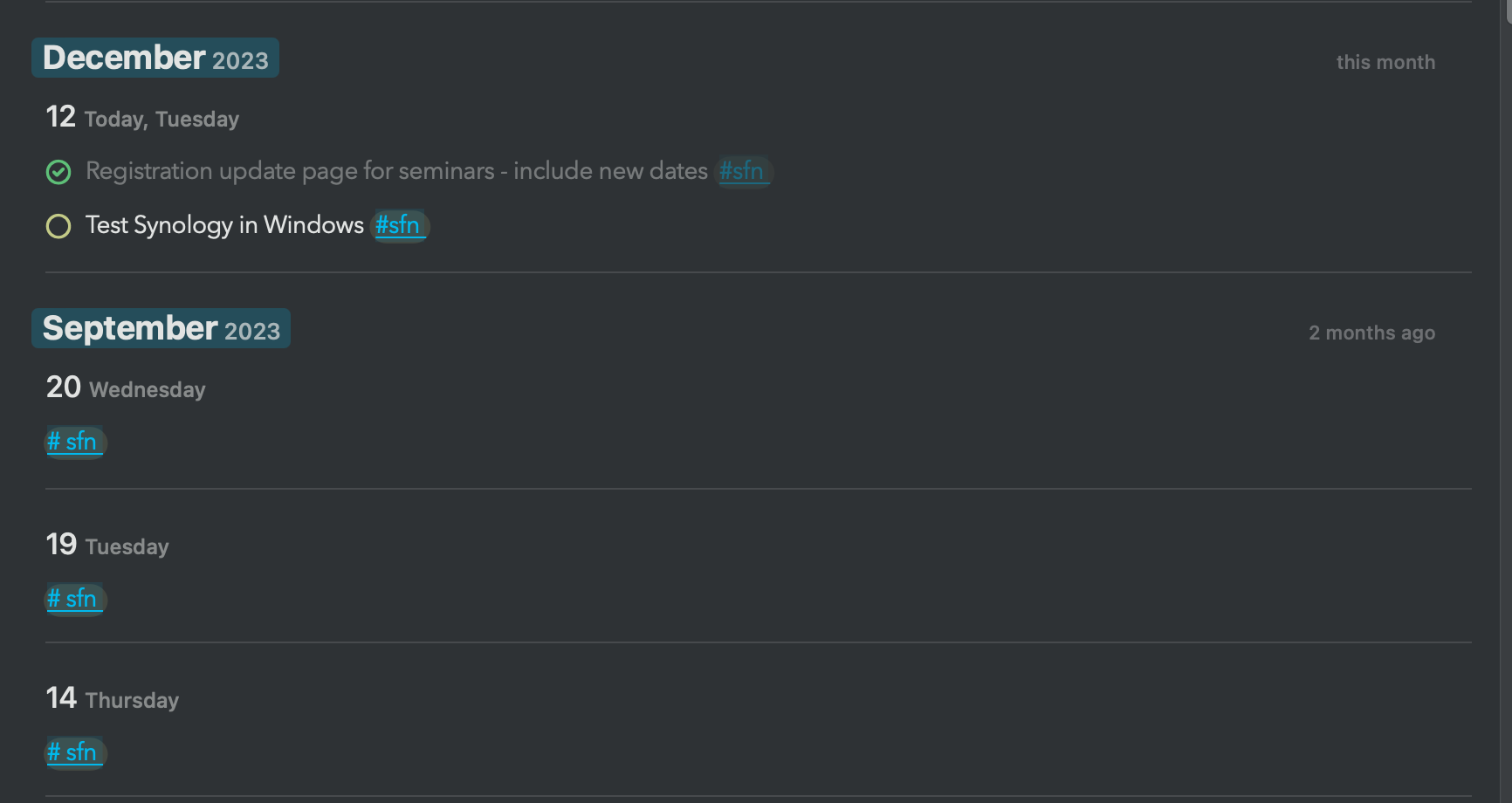
Mike Robinson: Do you have an idea how it could be displayed in search. Would it make sense to show the complete content below a heading as one search result? Or is this too much?
Eduard Metzger: perhaps as folded text? So just the tagged heading in the search results, but expandable to see the complete content.
As I think about the original request, if a tag is alone on a line, treating it as tagging everything above it to a heading makes a lot of sense. If it’s in an indented block, applying to the block. And then, displaying that content in search results as a folded block that can be expanded in the search view keeps the search view from being too cluttered.
Mike Robinson: Good points, thanks for sharing! On macOS (beta) you can already click edit to see indented points below something, similar to expanding, but you got to close it to see another. I have one problem with "everything above the tag". Because the tag might just as well be above something. It's not as clear to when the tagged content really ends (unless we take headings or double empty lines and separators as the markers?).
Eduard Metzger: yeah, it feels hard to define what a hashtag alone on a line should cover. Feels like a config option maybe? Things I could see a lone hashtag line covering: - the whole note - from the tag up to a heading - from the tag down to a heading. - both previous options, but to a different separator To me it makes sense that a line with multiple hashtags tags the whole note, but a single tag would tag everything above it. Not sure there’s any standard beyomd my gut feeling. 😂
+1 here. I could never get used to using tags for my company-related updates because it requires too much drilling into specific days. Ideally, I would love to be able to filter down in the search window. For example: showing only tasks with this tag, or non-tasks, etc. similar to what is possible in the "filter" view, but make it more dynamic. Showing sub-items could also be helpful, as right now, I often need to overuse specific tags (for each line/paragraph/heading/task/etc. to make sure that it shows up when searched). But that has its own issue of making the daily notes look extremely crowded.
Thanks for sharing this. This could work in the next update. There you can edit entries and that also pulls up all the indented items below (i.e. the block), but only in the edit window. If we show the data by default this screen could get really busy (not in this example, but in general). But I see what you mean. I'm thinking if there's a better solution, or a switch ("Include sub-items" on/off)?
I wonder if a hashtag at the end of a heading might work to mark everything in that section. (So more than just indented tasks) Just a though