NotePlan
NotePlan
May 10

Hide Markdown Characters

I've been testing the Bear 2 beta lately and the hidden markdown over there is great and something I notice when coming back to noteplan. I hate it when text shifts around while editing and the extra brackets around links etc really make notes look messy. I'd love an option to hide this stuff. Is there any way to hide the unnecessary extras via a theme?
PendingPending

Nov 2, 2023

I have been trying to hide the ugly double brackets of wikilinks via custom theme, but unable to do so. Does anyone have any insights on this?

Nov 2, 2023

Responding to my own request! I found this brilliant custom theme that shows clearly how to implement this and many other nifty tricks: https://github.com/jgclark/NP-themes/blob/master/Toothpaste%…

May 22, 2023

Yeah, it's the headings. I did work out how to hide the hashes using a custom theme, which is working well for me now. I never type markdown characters (always use shortcuts), so that works for me.

May 22, 2023

But I see headings and other things are handled differently

May 22, 2023

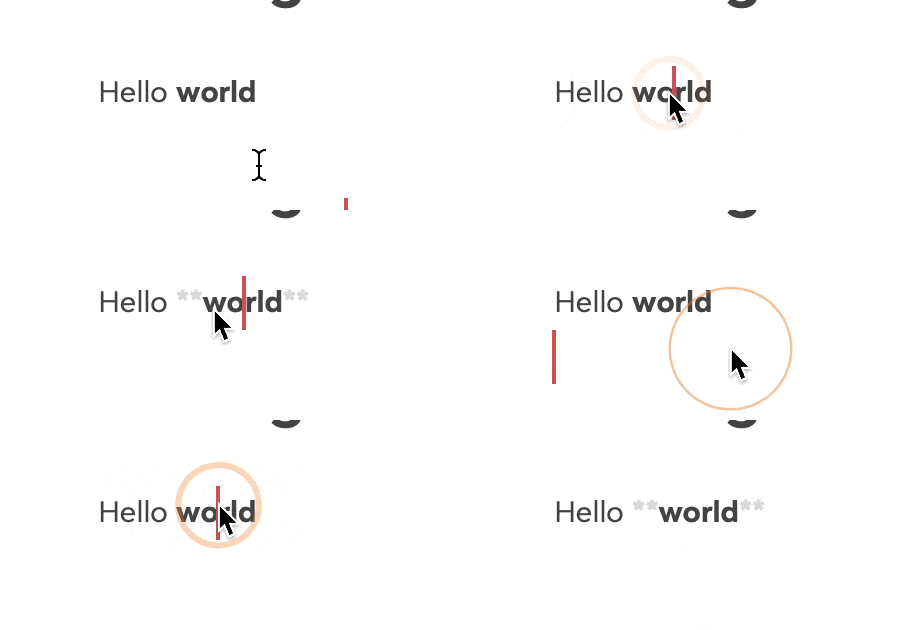
Thanks for sharing, I see what you mean. You refer specifically to headings when you say shifting? Because in Bear it's shifting with bold and italic too:

May 11, 2023

I noticed that H4 level headings have the #### prefix hidden until the caret is at the start of the line. It'd be a good option for other heading levels also. I'll look into theming docs to see if I can hide the others.

May 10, 2023

A lot of markdown characters can be hidden by theming -- nearly all, afaik, other than a few of those around links (eg, the box-arrow). Take a look at the help docs for a start