
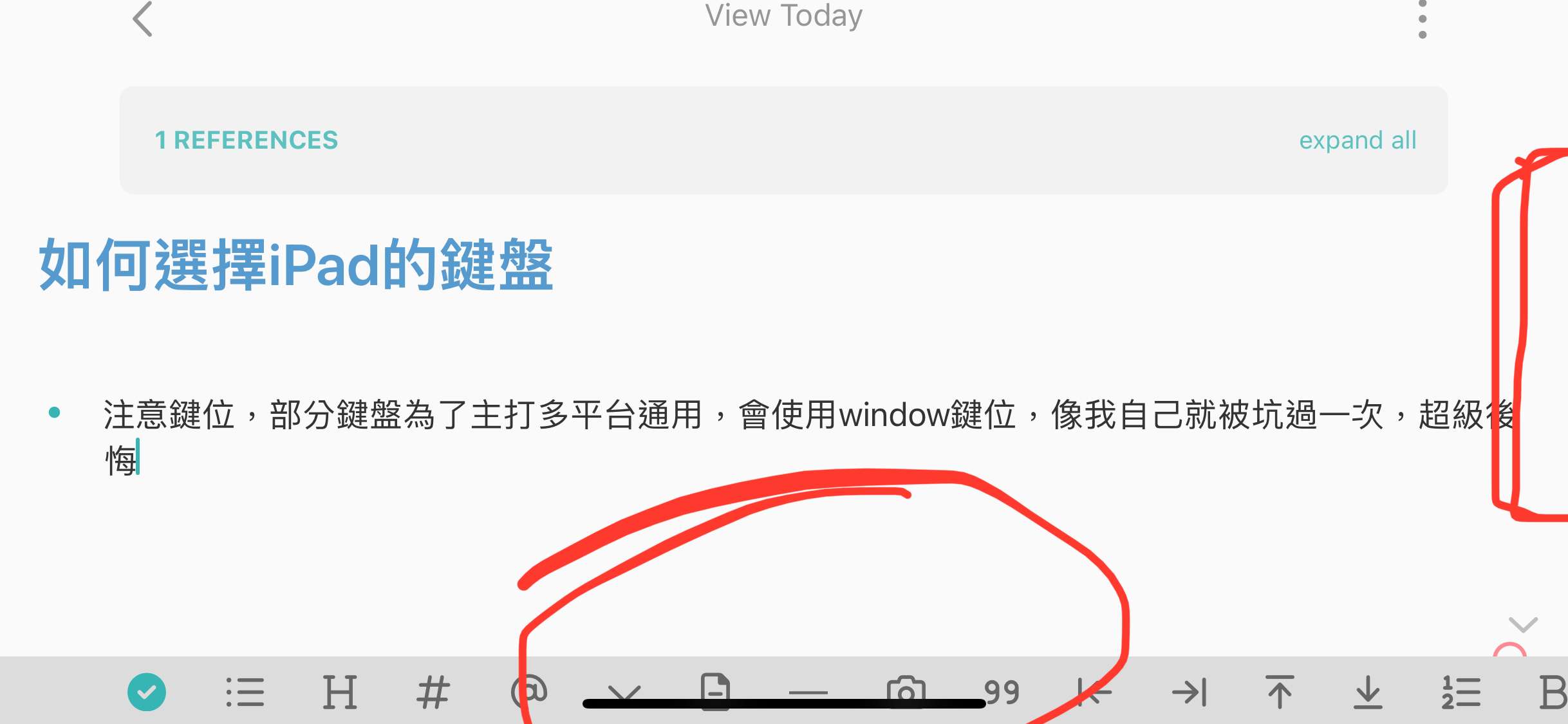
Horizontal Mode Words not clear & too long
This is iphone version
The mobile is iPhone 12 mini
I found out the markdown render is not comfortable to see, and iPhone’s camera make me not to see every words.
In the image, Red area show where can’t display clear.
Thanks!
I’m not sure if you understand what I mean, Just ask me again and I will try my best to explain.
Pending
Interesting for me the text and the reference bar above the text align left and right (they have the same width as the "REFERENCES" rectangle). Also on iPad. Ah, ok, you are holding it horizontally. I think this is normally disabled. How did you get it horizontal?