
NotePlan
NotePlan
Oct 4

Horizontal week view

I often go back to an app called Moleskine Journey because of the way they make use of the week view. Is there a way this could be replicated in Noteplan? Here I can drag notes and tasks between the different days. Makes it very easy to plan and rescedule my days.
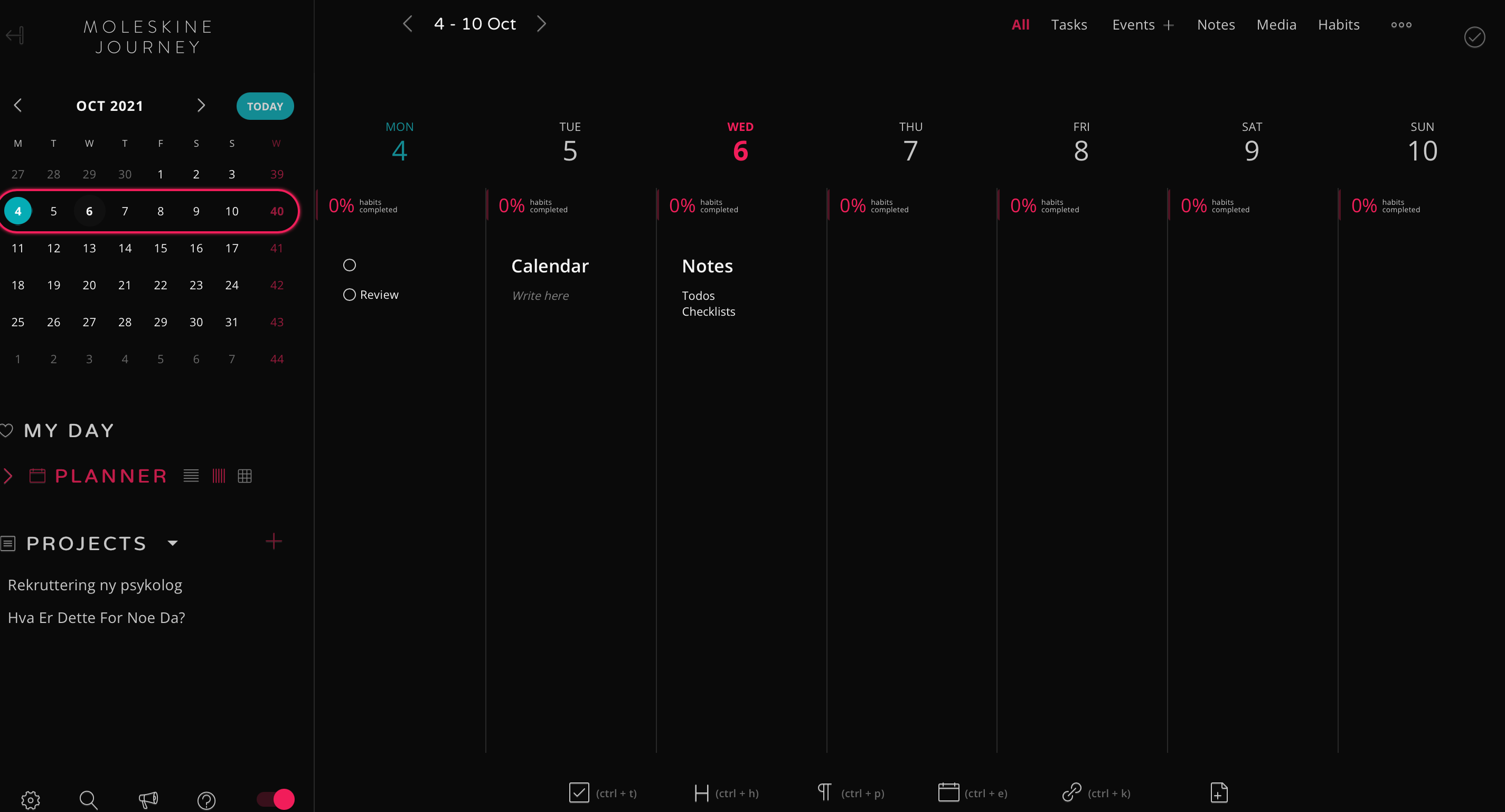
PendingPending

Dec 9, 2022

This would be amazing to looking back at the week behind your or planning ahead and comparing workload. With some work it could be also amazing tool for habit tracking if you start every day with the same TODOs.

Oct 12, 2021

I think the advantage would be that you can compare easier and drag things between the days better than in a vertical display. Would it work if we use the current (vertical) week view and have an option to display it horizontally? So basically, viewing multiple notes (a week) horizontally instead of a strict copy of the calendar layout you see in other apps.

Oct 12, 2021

Eduard Metzger: that would be very useful, for me at least. And could we then choose different calendar notes as well? That would be ideal. For example: view only the three next workdays, or if you work part time you could choose the days you are at work and so on.

Oct 11, 2021

NotePlan has it vertically, of course. Any reason why you want a horizontal view?

Oct 11, 2021

Bart De Ruyck: Good question. But we can't drag and drop between days in the horizontal week view -- I think there's a bug here Eduard Metzger.

Oct 11, 2021

Jonathan Clark: It's a known limitation, I believe. Would love that, too: the ability to drag/drop between days is very useful.

Oct 11, 2021

Bart De Ruyck: Yep that would be good. I have such long reference sections that it's quite a long drag between days that follow vertically. A (good) horizontal view sounds tricky, but worth it if can work :-)

Oct 11, 2021

Bart De Ruyck: Im not sure why i prefer it in horizontal view. I guess thats what i am used to see when i look at a calendar. It just makes sense to have them side by side for me?

Oct 12, 2021

Jonathan Clark: That makes sense! References do take up space if you have a lot of them.

Oct 12, 2021

Jonathan Clark: Correct, it’s technically not implemented, but I wanted to get there with Drag & drop 2.0

Apr 5, 2022

Bart De Ruyck: My display is wider than it is high! (Tho I do have an old monitor that I used a vertical display)