
Aug 27
Indent keyboard shortcut
Missing the standard
`⌘ + ]` to indent the current line
`⌘ + [` to outdent the current line
Pending
Coming from most IDEs and (I think?) GitHub Im used to cmd+[ and cmd+] personally - also many apps support delete as a way to undent. I will make custom mappers but it would be nice to see more than just the shortcut bar available in the app-level settings. I use a work computer and personal computer and mapping it twice is not a crazy feat, but more annoying that VSCode which syncs my settings, themes, etc. I just login and im good to go!
These commands do exist, but they only work with items marked as todo or list items
Mike Erickson: What are the commands? The above don't work for me… and I can't find any reference to indenting/outdenting in the app's help, or online. I am speaking of the macOS app, not the mobile versions, which have them in the extended keyboard thingy.
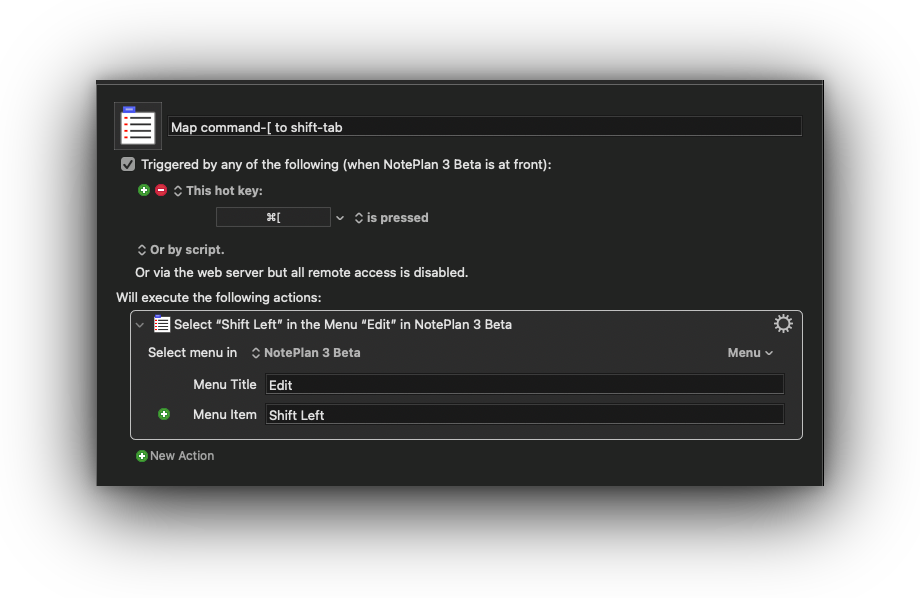
Boris Anthony: My apologies, this keyboard shortcut only exists on iPad. On macOS you can use `tab` and `shift-tab` to move tasks and list items. I realized after you posted this question, I am using Keyboard Maestro on macOS to map `command-[` and `command-]` to map to `tab` and `shift-tab`
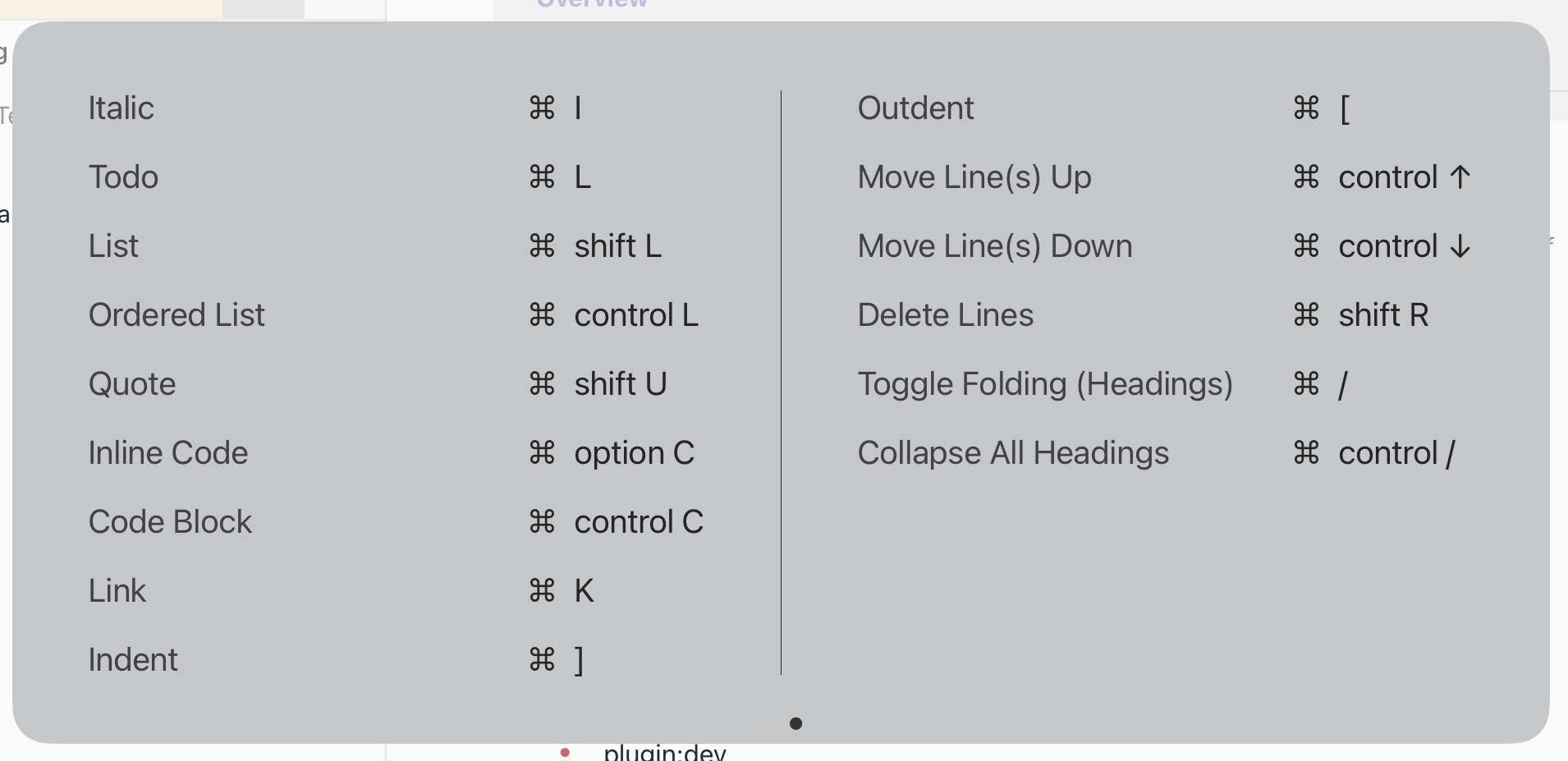
Boris Anthony: Here is how I perform the task using Keyboard Maestro. I have a number of other keyboard maestro workflows to enhance NotePlan (making things muscle memory as VSCode)
Boris Anthony: I'm using Tab / Shift+Tab on Mac too. CMD+[ and CMD+] are used to go back to the last view you have opened and forward.
Eduard Metzger: 😢
Boris Anthony: To clarify, indenting works with tasks and bullets using tab and shift tab. Can your clarify what you are looking for? Indenting plain text? I’ve made it behave differently so you can make a simple table with tabbing using plain text. You can insert tabs in the middle of text as a separator.
Eduard Metzger: I have muscle memory from every other writing app I use to CMD + ] to indent *any* line the cursor is currently in. I indent a lot (not just code or lists, but prose too). Ah well, another quirk to try to get used to. :)
Boris Anthony: Which apps do you refer to? I just tried Agenda, Bear and Ulysses, they support both.
Boris Anthony: By the way, I just remembered, you can also change the shortcut CMD+[ and CMD+] and remap it to do tab/shift+tab, see: https://help.noteplan.co/article/78-change-keyboard-shortcut… It's a bit of a challenge to find good shortcuts for everything. Tab/Shift+Tab and CMD+[/] did the same thing, so I thought I could use the other for back/forwarding between views, I think I saw it in some other app as well.
Eduard Metzger: Obsidian, IAWriter, VSCode, Sublime, BBEdit… I spend (much) time in all of these. Of course simple Tab if my cursor happens to be placed at the start of the line. I am taking about indenting when the cursor is anwhere in the line. Inserting a tab in mid-line is of course normal too and not what I am talking about. If you were to support both as well, well then… ;)
Boris Anthony: Ok, the problem with normal tab in plain text is that changing this will remove the possibility to make simple tables. A solution we discussed somewhere else might be yet another shortcut for inserting tabs vs indenting the whole line.
Eduard Metzger: I can certainly appreciate the difficulty. :)
Eduard Metzger: To be clear, I am not talking about "inserting tab" inside a line. I mean indenting the line the cursor is currently on (regardless of position).
Boris Anthony: Understood. Overall both features are requested. Inserting a tab and indenting the line.
Eduard Metzger: I think your current approach is confusing… 1. `Tab` at any cursor position in a list or task line indents the line 2. `Tab` in anything, anywhere else, inserts a tab (the normal result) 3. `Tab` with cursor at start of line "inserts a tab"(effectively indenting the line) (the normal result) The solution here is simple, and seems to be a standard in programming apps and some note-taking apps (which are popular with programmers… 🤔 ): - `tab` simply does its job: inserts a tab at the cursor position - `CMD+]` indents the line the cursor is currently positioned in
These shortcuts are used for "forward" and "back" respectively. Indenting and Outdenting is already supported by TAB and SHIFT+TAB.