I love Noteplan and have lived out of it daily for a few years. My job uses notion and a lot of my peers use Obsidian. I don't love kanban boards all by themselves as it doesn't map to how I work on my personal tasks (they are more binary, done... or not) but this type of UI would allow me to work in a lot of really cool ways like building an Eisenhower matrix. Not saying we NEED this feature, as I think a LOT of this could be done with better tables... but one of the two is something I am sorely missing after living in Notion and getting Obsidian envy. I don't want Noteplan to get crazy bloated, but alternative visual interfaces for planning work in bulk seems really necessary for a knowledge tool that may have 100s of tasks you need to weigh through.
I'm wondering why we're inclined to make the "Kanban" feature into a plugin? To me, it feels like NotePlan should have that feature baked into the core functionality of the app, rather than being built on top. Otherwise, it'll result in an inconsistent experience. However, the reasons to include kanban as a feature are quite strong: - NotePlan is known for being a task manager first, and a markdown-editor second. Any modern task manager generally has a kanban view. - Tasks and projects generally have statuses if they have more than a single step. Kanban is the perfect yet simplest way to track that. Right now, using tags, mentions, or folders does not provide a suitable solution. - Many people use NotePlan for writing of sorts (i.e. "Content Calendar"). Right now, there is no proper way to track a note that's moving across a pipeline. - Kanban should be a drag-and-drop interface. Using plugins generally requires tinking with clicks, tags, mentions, editing metadata, and many more steps, taking away from the simplicity and effectiveness of having a kanban board in the first place. - Even apps that aren't primarily task based offer this view because of how versatile and effective it is; it seems strange not to have that for apps that are task/project focused. There are many more reasons for this that I can list, but I feel like this should be more than enough to consider making this a core feature. cc Eduard Metzger
Was just coming here to suggest the same thing! Upvoted.
I’d also love to move notes in a kanban view. I’ve mostly switched away from notion but this is one thing I really miss. I treat a note as a project with integrated todos moving through a kanban workflow.
Thanks for adding this. I can imagine this being a good plugin. We just need to figure out how to visualize it using Javascript. It could open up a separate WebView window which the Javascript plugins generates (as HTML) after pulling the data from NotePlan.
Or be a bit smarter, and could work out the Done ones through the `@done(...)` marker, and could devise a logic with the `>date` markers to show what is planned vs in progress?
Jonathan Clark: Yes, there are a couple of options we could use to tag tasks or use headings for a Kanban board. Tags are probably more flexible in the sense that you can pick up tasks across many notes vs using a single Kanban note.
Eduard Metzger: Also, with #tag(modifier) syntax, you could allow for custom board columns. E.g. `#status(next)` or `#priority(high)`
Eduard Metzger: already done for Obsidian. :) https://github.com/mgmeyers/obsidian-kanban
Alvaro Ybañez: Yes, this is a good example.
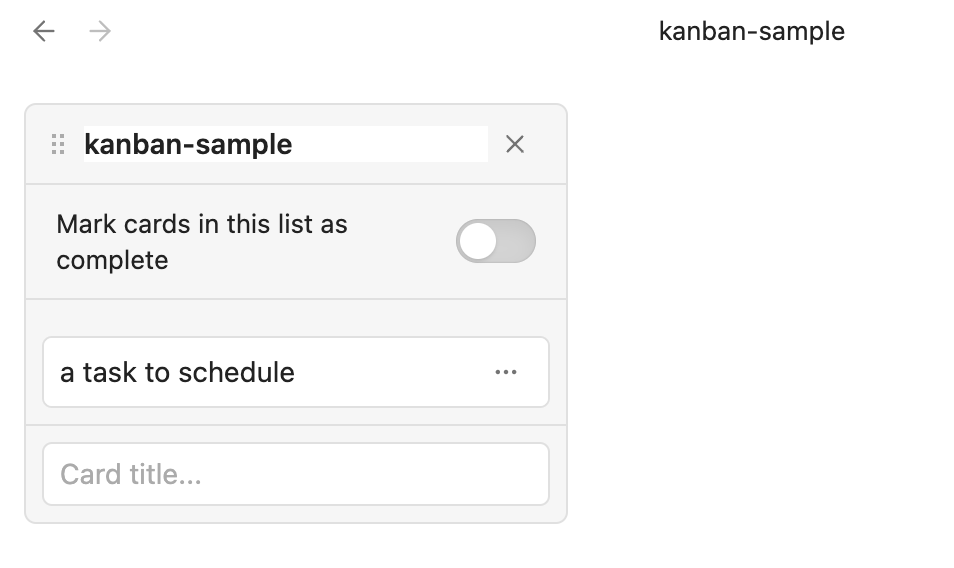
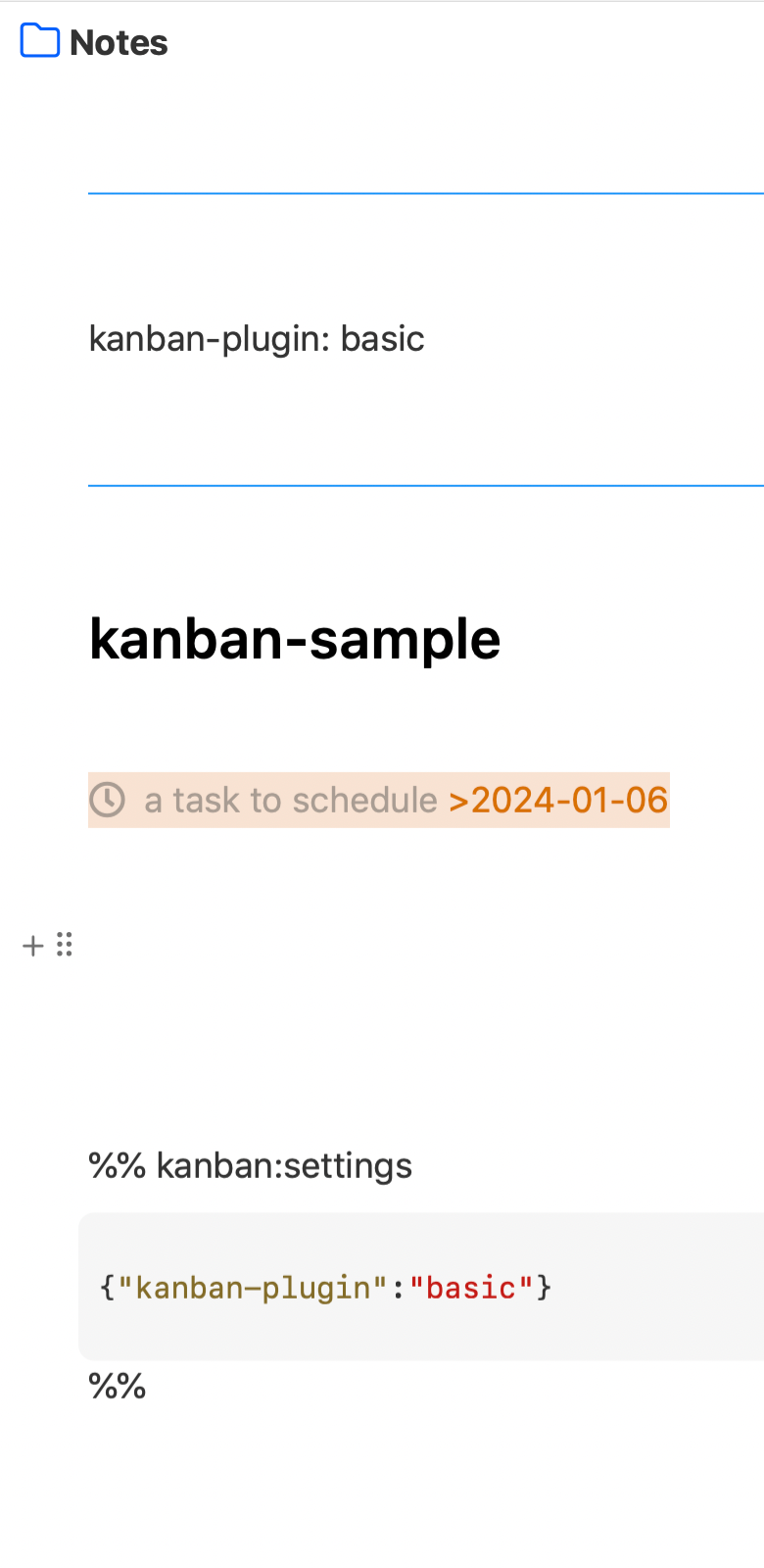
Eduard Metzger: Could the plugin be interoperable? I am already using the obsidian kanban plugin and appreciate that I can access it in noteplan as a list of tasks with headers. The title is correct in the sidebar and links to the title work, just the backlink is wrongly made to [[kanban-plugin:basic]] instead of the kanban title. (is this fixable? so that noteplan ignores the stuff between the blue lines when choosing the title for the backlink?)
nopi: You need to link to [[kanban-sample]], not to [[kanban-plugin: basic]]. That's basically how it worked in my test. Not sure where the other link comes from? Did you type it? NotePlan only takes titles from the frontmatter if they have "Title" or "Name" as key.
Eduard Metzger: I scheduled it in noteplan from the kanban to the daily note via the options to the left of the note. The link is made automatically by noteplan to the first line. Maybe there is an option to add the title when scheduling from such notes. Templates look and behave similarly: when I schedule from a template (which I normally would not do), the automatic backlink has the first line, not the template title. The link is not functional: if I click it, noteplan makes a new file named "title: title-of-template". So here the title is not taken from the frontmatter even though it says "title:". Would be very helpful if this is an easy fix. edit: linking to the kanban with [[kanban-title]] works fine, just the link added via scheduling in noteplan is to the frontmatter.
nopi: Ah I see now! Have noted it.
Eduard Metzger I noticed this works now, thanks!
Available now through the "Cards" view (available in beta, releasing this week). https://help.noteplan.co/article/239-card-kanban-view