
Jul 10
Show top level of a bullet/task list when scheduling a task in a another note.
The ability to schedule a task into another note is really great, but can lose its context when it's referenced in a weekly note later.
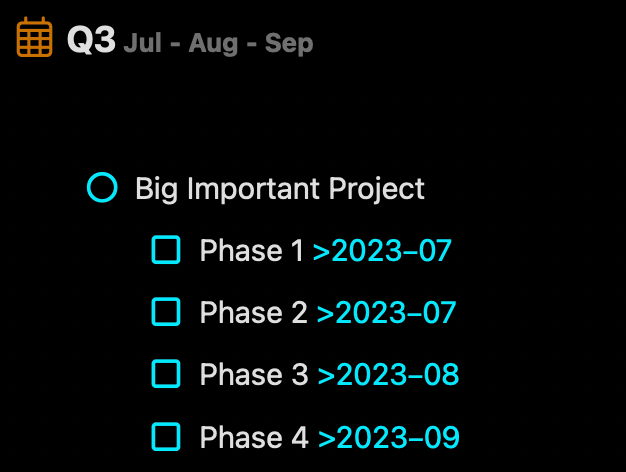
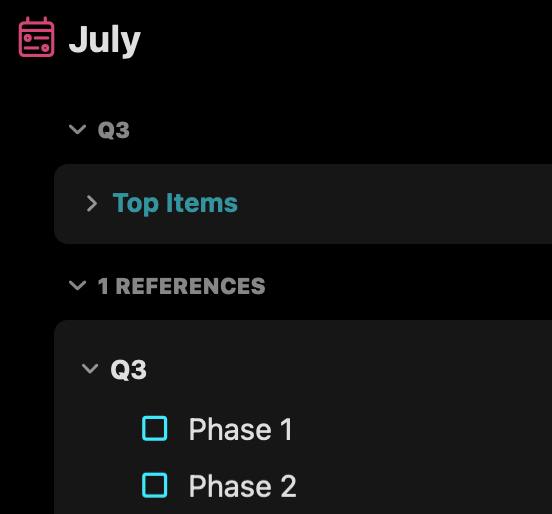
In the example screenshots, I have a Big Important Project and phases under that. By scheduling it into a monthly note, the Phase shows up, but without context I don't entirely know where it came from.
I could fix it by adding "Big Important Project" to each phase, but then the list becomes:
* Big Important Project - Phase 1
* Big Important Project - Phase 2
etc. And that just looks silly in the quarterly note.
It would be nice if the top level of that bullet list (or the parent item) would come with it so we could get context with a scheduled task.
In the example, July would show:
* Big Important Project
* Phase 1
* Phase 2
In August would show:
* Big Important Project
* Phase 3
Thanks!
Pending