
Mar 8
Table of Contents / Note Outline
It would be helpful to have either a static note Table of Contents (TOC) displayed in a sidebar or to be able to dynamically generate it with a /TOC command within a note.
Pending
200+ votes already, please add it to planned features 😭
Would love this too. I think notion has a great implementation of this with their floating TOC https://www.notion.com/releases/2024-06-11

Would love this feature!
I wanted to add my vote for an outline/TOC in the sidebar, NotePlan is such a great app and I'm using it for more complex docs now but the one thing that keeps bringing me back to Ulysses is the TOC in the sidebar based on markdown headers so I can navigate large docs faster. Here's an example of how this looks in Ulysses where it summarizes links / media under subsections as well.
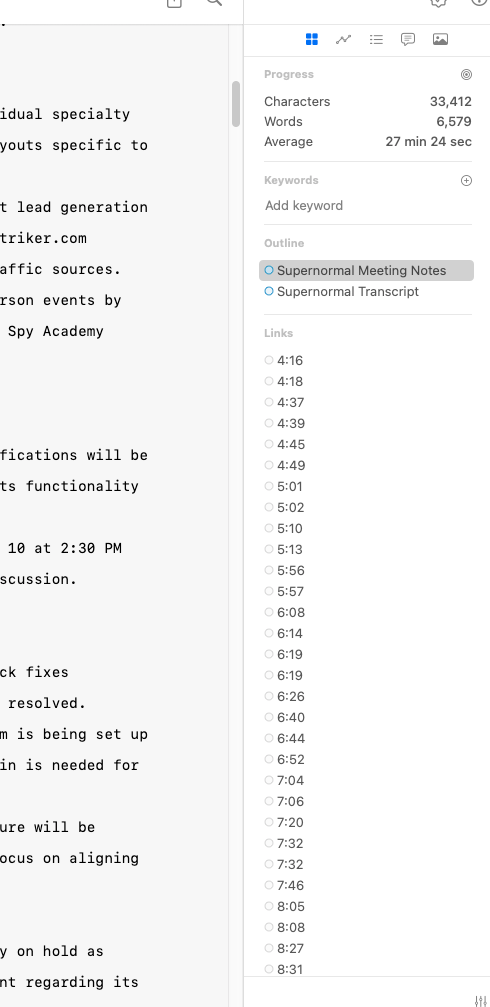
Would like to add a table of contents at the top of a note using the the different headlines (h1,h2, ...) from the note. Ideally auto-update once I change or add a header to the note (markdown menue could be used to add table of contens - coming from Evernote). Thanks Eric
I would really like to see this implemented.
I wholeheartedly support this feature request. Collapsing headers is the workaround I use to make sense of long notes, but it's not enough. A TOC, whether in the sidebar or on the top of the note, would make my life so much easier...
I wonder whether this could live in the top bar rather than sidebar with other references? I've hacked table of contents in long notes for presentations etc. using wikilinks and it works 'well' in the top bar as a workaround. It can get annoying with large titles and this is a hack - but it may point to a more embedded solution.
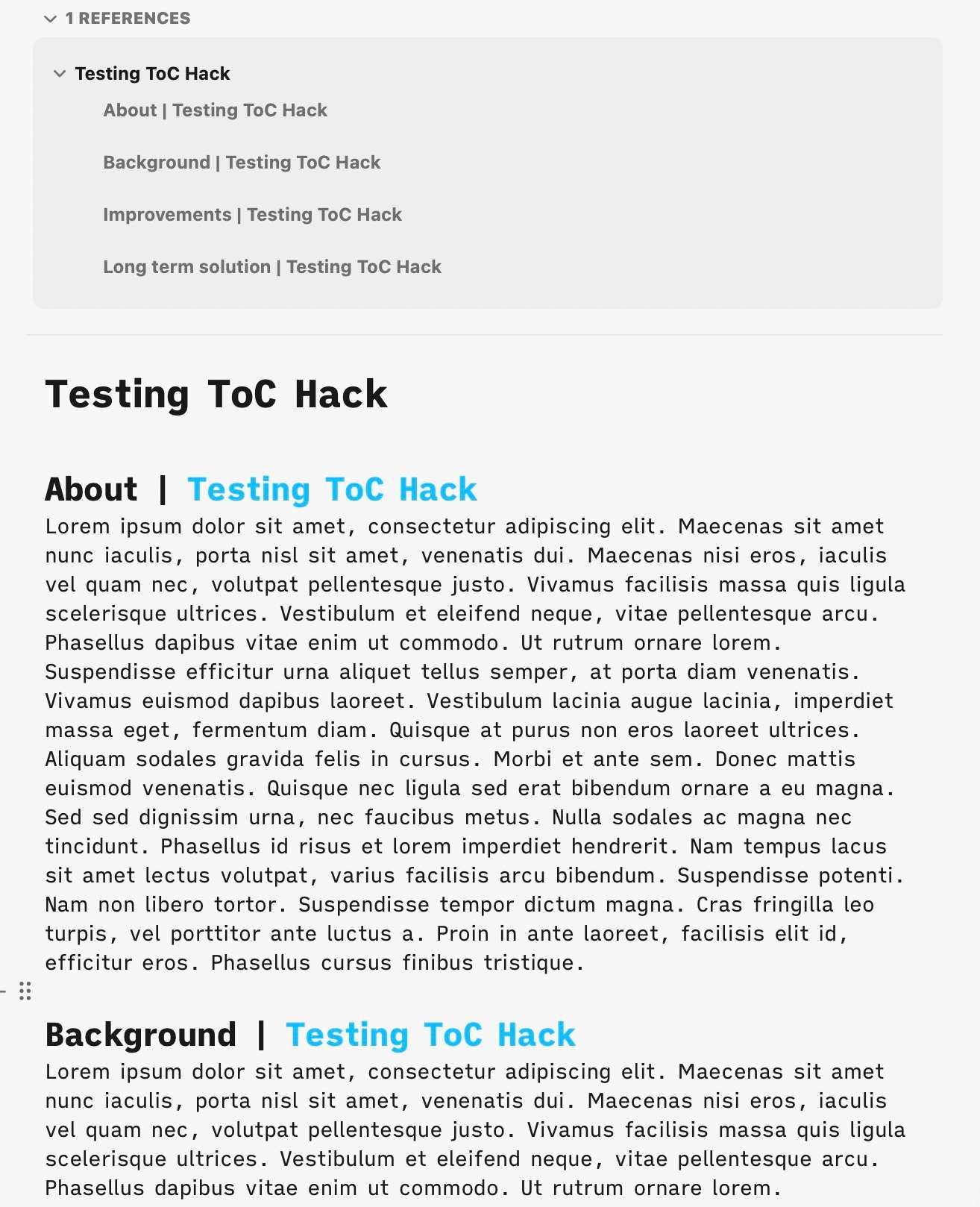
+1 Definitely need this feature. Noteplan is almost my all-in-one app expect for those very long notes. Without a TOC it's hard to nav in the note.
+1 I’d love a sidebar outline / toc view like obsidian 🙌
I'd love an option to have a table of contents as a sidebar replacing the current right-hand sidebar (perhaps just by clicking on a tab so that switching between sidebars is quick). Most of my longer notes with sub-headings are project notes rather than calendar notes, so when I'm working on them I generally don't need to see the calendar or events list.
Use case: Some of my notes are rather long (e.g. lists and sublists of CLI commands that I use at work ) and I would benefit greatly from being able to jump to the right height to copy the needed command. Attempted to do this manually by making a list of links to each heading and placing it at the top of the note but since I cannot change the name of the link they are ridiculously long and hard to read. e.g. [[Terminal Commands#### Changes in CSS - redeploy with no downtime]] ..which is of course almost unuseable.
Alex I believe you can change the name of the link by placing the note link in an external link For example after creating the note link: [[Terminal Commands#### Changes in CSS - redeploy with no downtime]] Right click and ‘copy link’ Then create an external link with the bracket syntax []() ie [custom link name] (paste the note link here) *do not put a space between [] and (). That was so it didn’t render into a link in the comment Of course this is just a hacky workaround. And this is from memory so some details may need to be checked.
Really wish we can get this!
:+1 for this. It would be hugely beneficial to see the outline/structure of a longish note.
I am not agree with your suggestion. Table of content should not be displayed in sidebar. I am going to show Table of content for my website https://www.uniprint.net/en/ in content section
Thanks for sharing this. Very interesting approach. I agree with Jonathan Clark, we need to find a different place probably, but the dots are a good way to minimize it. Maybe a Dropdown at the top or so.
I also noticed, but my advice can also look, https://noteplan.canny.io/search-review/p/comand-bar-default…
Nice. Perhaps not on the left, though, as that has other things going on, and more about to be added it seems ...
Anton Sklyar have merged it with this. I think you mean the same? I think a table of contents could be started as a plugin once the framework for plugins is set.
Eduard Metzger: Yep, seems it's the same.
Eduard Metzger: Like the "Outline" plugin in Obsidian? That would be nice.
Rhubarb: I didn't see this plugin, but almost forgot that we could build this now. Basically, the command bar results could show all headings of the opened note.
Eduard Metzger: A sidebar pane (like outline in Obsidian) would be very helpful.
Eduard Metzger: While this may feel the same as Anton's feature request (and may be so in implementation) from a Canny discoverability POV, I think Anton's description (navigable outline in a sidebar) is a more accurate description of the idea. e.g. It took me a while to find this particular feature request so I could upvote it!
For anyone who's interested, I've created a plugin that does exactly that: https://github.com/dmangin/noteplan-plugins/tree/note_toc/dm…