
Mar 29
User preferences: Redesign task scheduling preferences
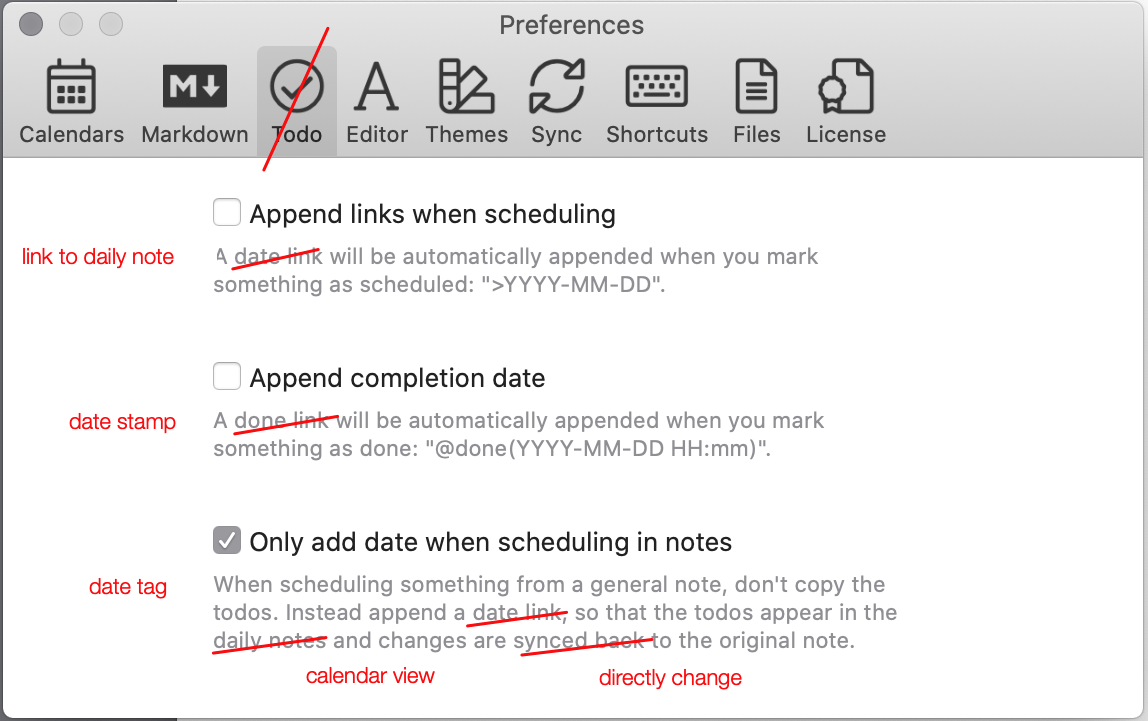
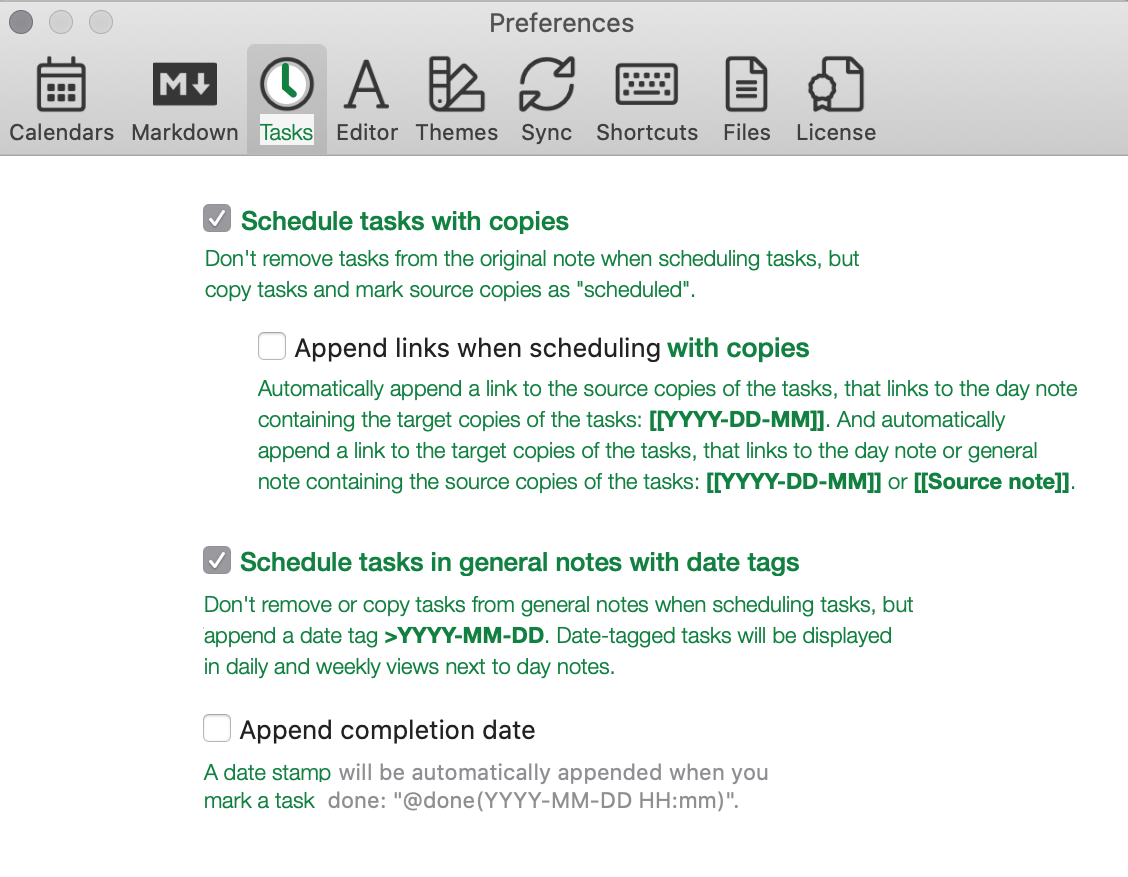
Scheduling tasks is a core functionality of Noteplan that can be configured by user preferences. I propose some changes to functionality, visuals and wording that should make it easier to understand how scheduling works in Noteplan and how it can be customized with preferences. (See attached mockup.)
# Changes
- rename tab label from "Todo" to "Tasks", because "tasks are first-class citizens" in Noteplan and this is the tab for task-related options.
- change icon from check-mark to clock dial, because this is the tab where tasks meet time. And because Noteplan renders scheduled marks with a clock dial.
- change the sequence of options
- add "copies" as new option. Allows users to choose between move and copy.
- indent "Append links". This option is only needed, when copy-actions are enabled.
- wording
# Design goals
Distinguish various forms of scheduling more clearly:
- *move* is the simplest form of scheduling. When no other option is checked, the "Schedule…" command *removes* the selected task(s) from the current note and moves them to the selected date's daily note. (Not available in NP 3.0.19.)
- *copy* adds a second step. When this option is checked, the "Schedule…" command does *not* remove the selected task(s) from the current note, but copies them to the selected date's daily note AND changes the source task's state to "scheduled".
- *copy and append links* adds further steps. When this option is checked, the "Schedule…" command copies the selected task(s) to the selected date's daily note AND changes the source task(s)'s state to "scheduled" AND *appends links* to the source copy and the target copy. (Default in NP 3.0.19.)
- *date tags* are a mechanism for general notes, that should be made available independent of the move/copy/copy-append settings
Distinguish various forms of appended items more clearly:
- distinguish date tags `>YYYY-MM-DD` from links to daily notes `[[YYYY-MM-DD]]` and links to general notes `[[Source note]]`
- distinguish date stamps `@done(YYY-MM-DD hh:mm)` from links and tags
Related: [Call schedule "schedule" again](https://noteplan.canny.io/task-management/p/call-schedule-sc…), [Date tags as default](https://noteplan.canny.io/task-management/p/date-tags-as-def…), [Enable real moving of tasks](https://noteplan.canny.io/task-management/p/user-preferences…)
Pending
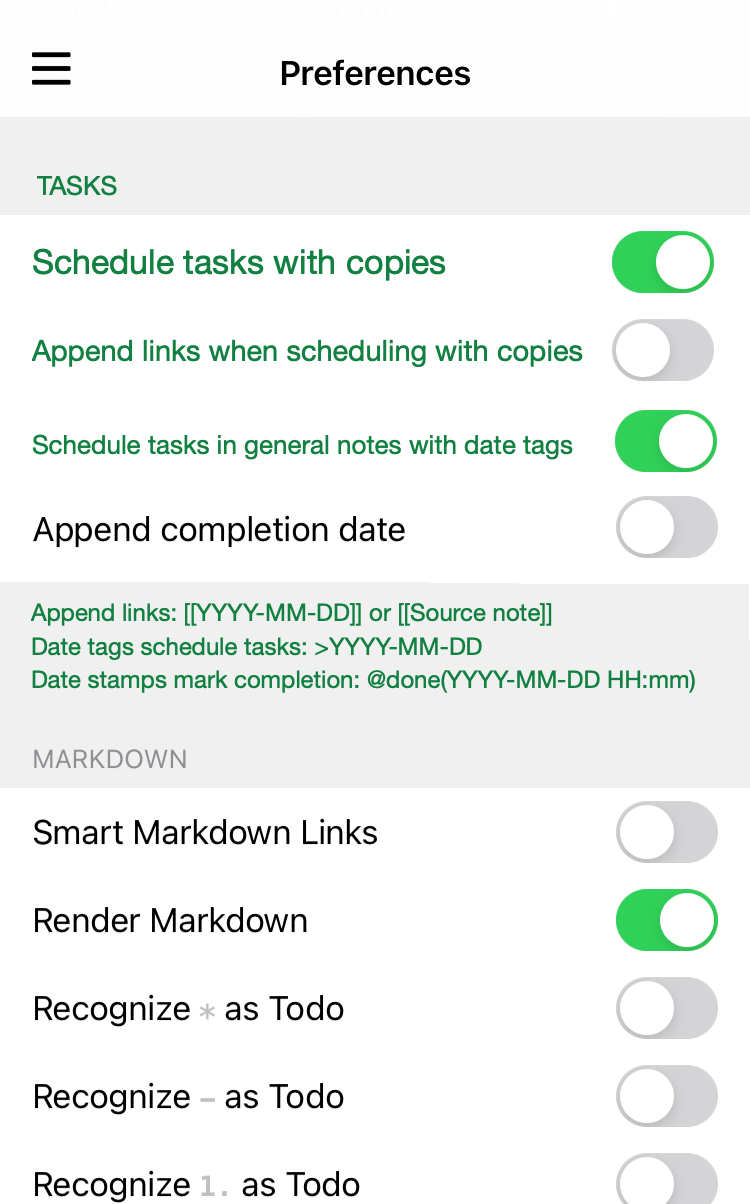
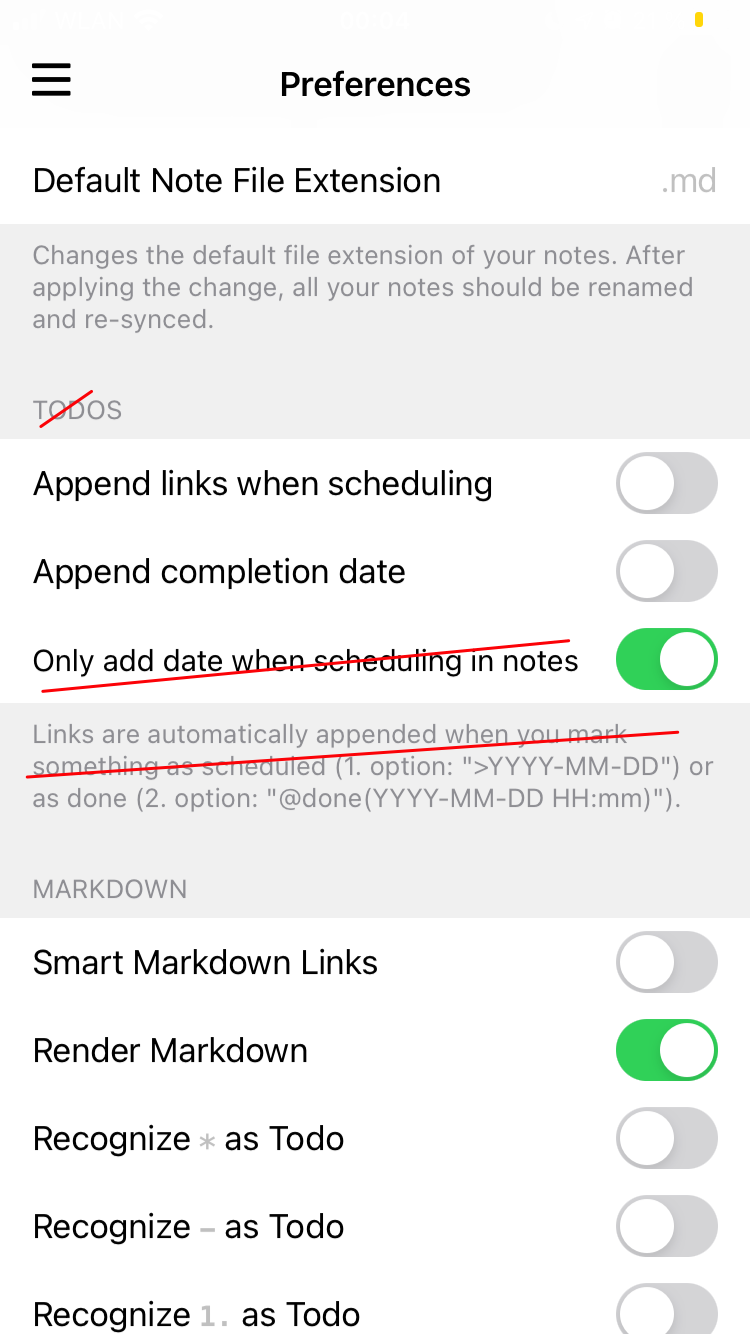
Also, please update the preferences on iOS to match the same architecture as the Mac, even if it is presented as a list and not a window.