
NotePlan
NotePlan
Jan 3

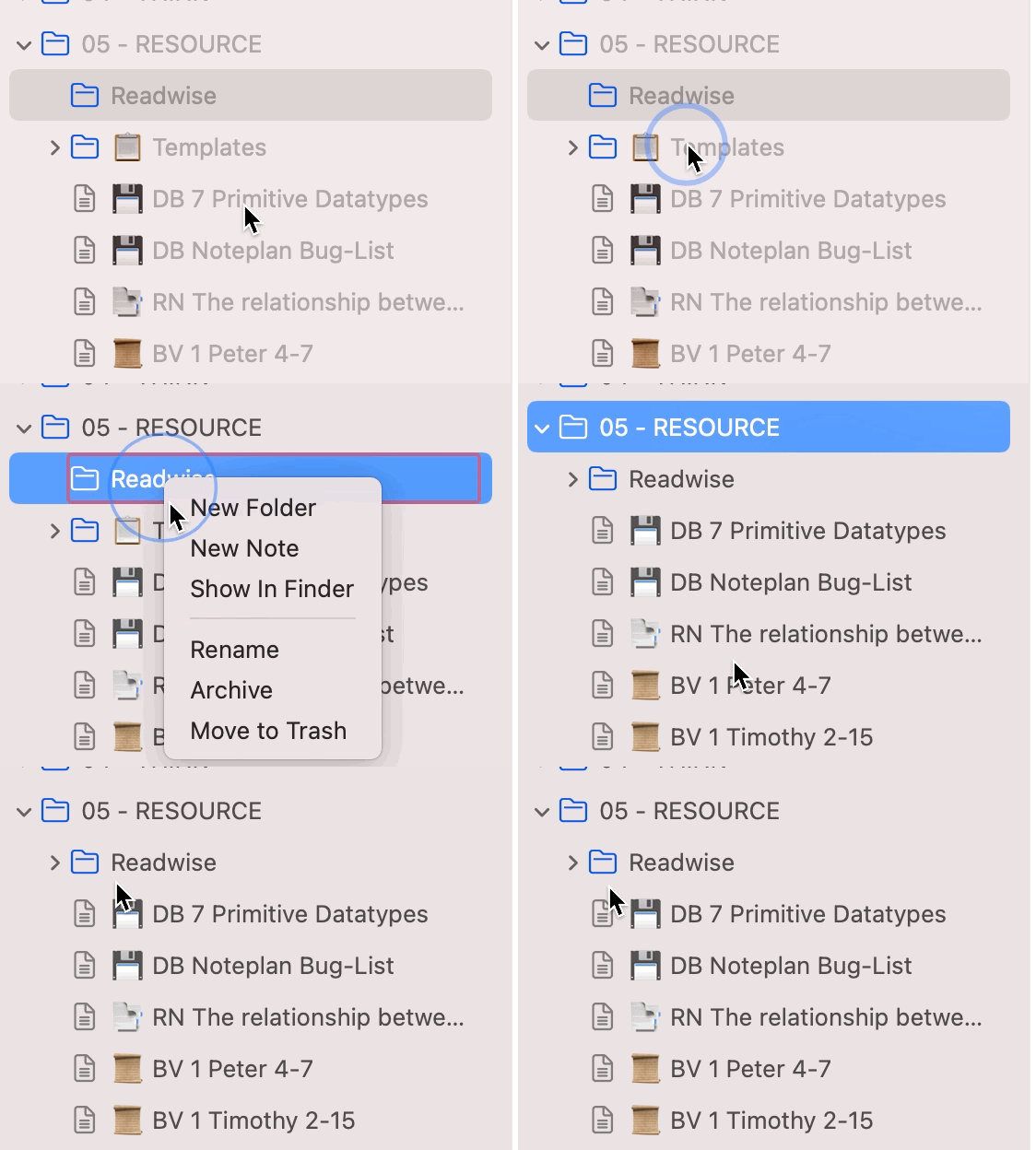
When Deleting A Folder, the Folder below is renamed.

I can reproduce this consistently using build 712. Generally speaking, if there are two folders that have content, moving one to the trash will move it to the trash and also rename the folder below it the same name as the folder you deleted. Took me a week to figure how that the reason I was missing files was because I was deleting the folder below it because I thought the initial delete didnt work because the folder had been renamed.
CompletedCompleted

Jan 19, 2022

Fix available in the most recent alpha version accessible on Discord in the #releases channel.

Jan 6, 2022

Found the issue and I can't reproduce it anymore. Will close this once confirmed in the beta.

Jan 4, 2022

Matthias This "undocumented feature" has been driving me batty for months, but I always seem to realize after days of using NotePlan. But I see the steps which cause this "undocumented feature" to appear!

Jan 6, 2022

Mike Erickson: I've never tried it this way :D, always in the "correct" way without double clicking on the folder.

Jan 4, 2022

I see what happens. if you double click on a folder it starts editing the name and if you then delete a folder this happens.