NotePlan
NotePlan
Mar 11

Widget Support (partially done)

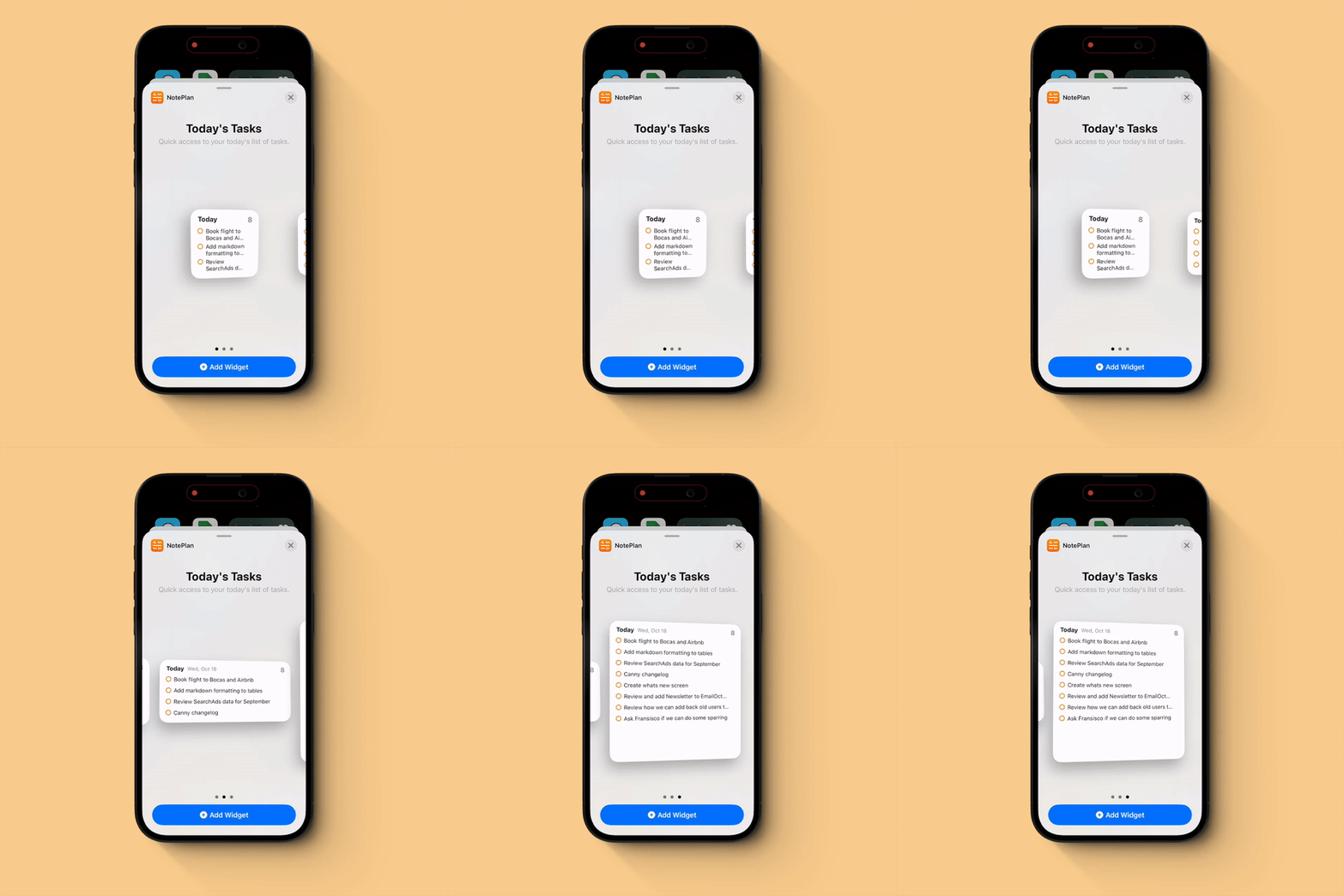
Adding a simple iOS Widget or maybe two for - ✅ Tasks of today's note - ✅ Lock Screen buttons: quick add task and transcription - ✅ Control center buttons for quick add - Complete tasks from the widget - Overdue tasks - Timeblocks and calendar events - A note thats chosen for displaying in the widget or recent notes
ProgressIn Progress

Ghost
GuestApr 21, 2026

I would love the widget to be configurable perhaps by date?

Ghost
GuestJan 5, 2026

Yes an ios widget for calendar !!!!!!!!

Dec 14, 2025

One-tap voice transcription from the lock screen 🙏

Jun 3, 2025

I am looking forward to any/all widget improvements! One small (?) thing I'd really like is the ability to choose NOT to display the highest priority task first. I generally organise my tasks in the order I want to do them, and sometimes there's a high priority task I can only do in the evening - I don't need to see it at the top of the widget all day. Thanks

Apr 15, 2025
from

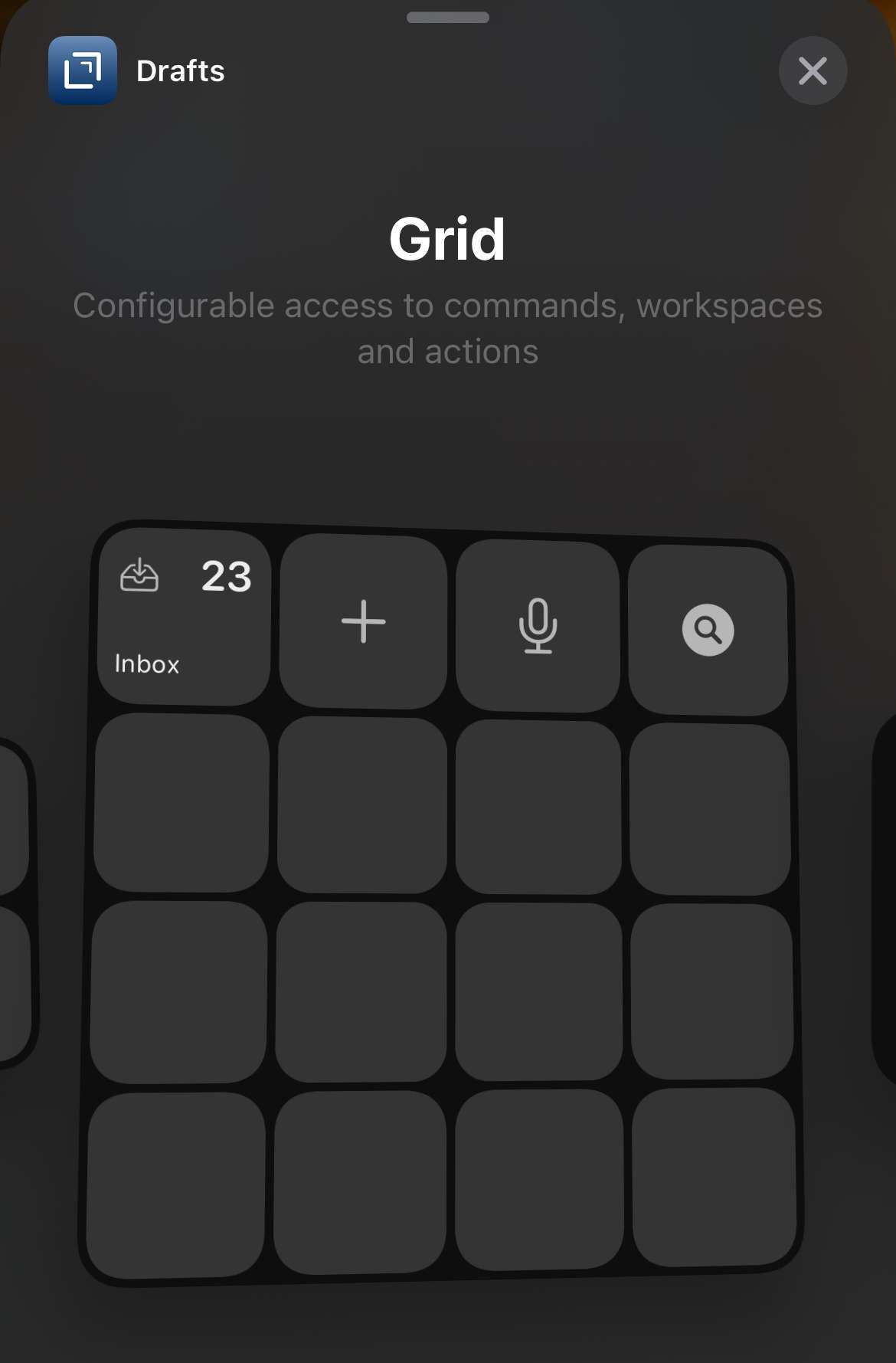
I have asked for this before, & it is my major gripe with NotePlan right now. Just look at Drafts' widgets. That's what NotePlan should look like.

Jan 8, 2025

I am all for more widgets, which have been promised for some time now. I’m very disappointed that more progress hasn’t been made. See how Drafts app does this. Please emulate that. Thank you.

Dec 23, 2024

Getting support for a "Timeblocks and calendar events" widget would replace my need for https://structured.app/

Dec 11, 2024

Native widgets in macOS would also be great. So they work independently of an iPhone.

Jan 20, 2025

Tekl I agree. The non native widget support is very inconvenient. Noteplan for Mac desktop deserves its own widget.

Sep 1, 2024

Thank you for the Today's Tasks Widget. For future widget support, I would like to request the ability to choose which Note is displayed. I would love to see my TImeframe Goals on a widget like Timestripe does.

Aug 3, 2024

Feature req: ‘random note generator’ for widget queue please? It would help with daily reviewing of old notes and looking for connections and insights that I probably missed earlier

Jul 10, 2024

Are there plans to include calendar events on the Today widget? It would be very helpful to be able to see both events and tasks on the home screen.

Jun 19, 2024
from

Totally agree with Chris. Adding to that, just an example to illustrate the usefulness of these kind of widgets: I'm using an "#anytime" tag in NotePlan for tasks I could do almost anytime I want, not just when I'm actually working. For example: learning something by listening to a podcast, reading some article, etc. If NotePlan had a widget I could put on my iPhone or iPad home screen that could list tasks with some specific tag(s), it would help me quite a lot, because most of the time I forget about these tasks... :(

Mar 14, 2024

Is it possible to get a "+" button in the bottom right corner to quicly add a task on daily notes ? There is the same feature on Things and it is faster than force touch the app then click on "New task".

Oct 22, 2023

Next types of widgets will be added in some of the next releases.

Oct 22, 2023

Eduard Metzger: A great first step. Next ideas: - widget available on the Lock Screen - create two quick-entry Lock Screen buttons: (a) quick add a task to todays note, and (b) quick dictate to use your whisper AI to add task functionality - checking off of items from the widget

Nov 1, 2024

Eduard Metzger Being able to specify a filter for the widget display. I.e., I have a filter of "Top Priorities". Would love to get this on my phone's home screen.

Oct 21, 2023

First set of widgets is up and available!

Oct 4, 2023

Ignoring this (second most upvoted) feature makes the app look less native compared to other alternatives that integrate better with the apple ecosystem.

Sep 29, 2023

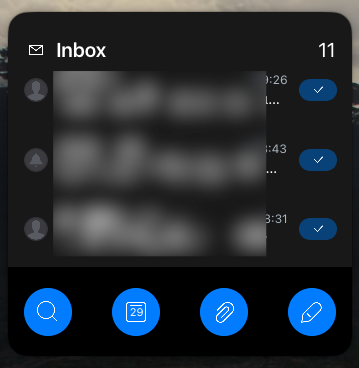
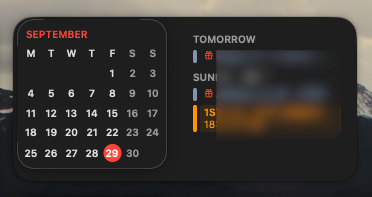
Please let it happen!! now with interactive widgets it is super useful to have widgets!! (and we also have them on our macs' desktop 🤯) Personally i have two suggestions. 1. a medium sized one with a little calendar on the left and the timeline on the right. See example from native calendar app. 2. A big one with either tasks or prioritised tasks only or timeline above with some buttons below that would be editable and would offer actions like open specific note , open a folder, open a filter or put some xcallbackurl to ran whatever you want... (screnshot from spark mail widget) ps: of course i would also like a small one with 4 button like the above mentioned + please at the same time check out also the live activities in order to show the current task that is appointed on todays timeline... it would be awesome!!

Sep 27, 2023

Another option for a widget: - a Filter for tasks

Sep 20, 2023

Please please please please please please

Sep 9, 2023

This has to be coming, right? It's the highest voted feature that isn't yet in planned state.

Jul 11, 2023

Has anyone heard about a widget coming soon ? Really need it

Jun 21, 2023
from

The more widgets, the merrier!

Jun 18, 2023

I’d love a widget that showed my timeline for the day + (in the new iPadOS) a button to quick capture something into my daily note (text, task, reminder, event, camera, etc)

May 14, 2023
from

Yes! This feature would make Noteplan a more complete planner tool. I currently use shortcut to parse tasks from the current day and send to reminders. Its not ideal.

May 9, 2023

I cancelled my subscription because of this. I would renew if widgets were added.

Apr 19, 2023

I would like to see a widget for time blocking

Apr 15, 2023

Goodness, this request has a lot of upvotes (203 at time of writing) and I am surprised that a widget has never been created.

Mar 7, 2023
from

Yes, just being able to quickly add a note to today (especially by voice) would be a game changer.

Mar 7, 2023
from

Agreed, that would be a great option. Preferably including the equivalent of Drafts multi-option widget.

Feb 2, 2023

Also, a widget that is a tray for recent Markdown files, ala. Apple Files.

Oct 9, 2022

It also may be time to embrace onscreen widgets and even possible watch complications. Just sayin

Jul 29, 2022

Would love a widget for (1) quick add (2) a view of today's tasks.

Jun 3, 2022

I would love two different widget types: 1) A widget that shows the first few lines from any note, and which opens said note if clicked. I do this currently with Bear. 2) A widget that shows tasks, due today + overdue. I do this currently with Things.

Apr 24, 2022

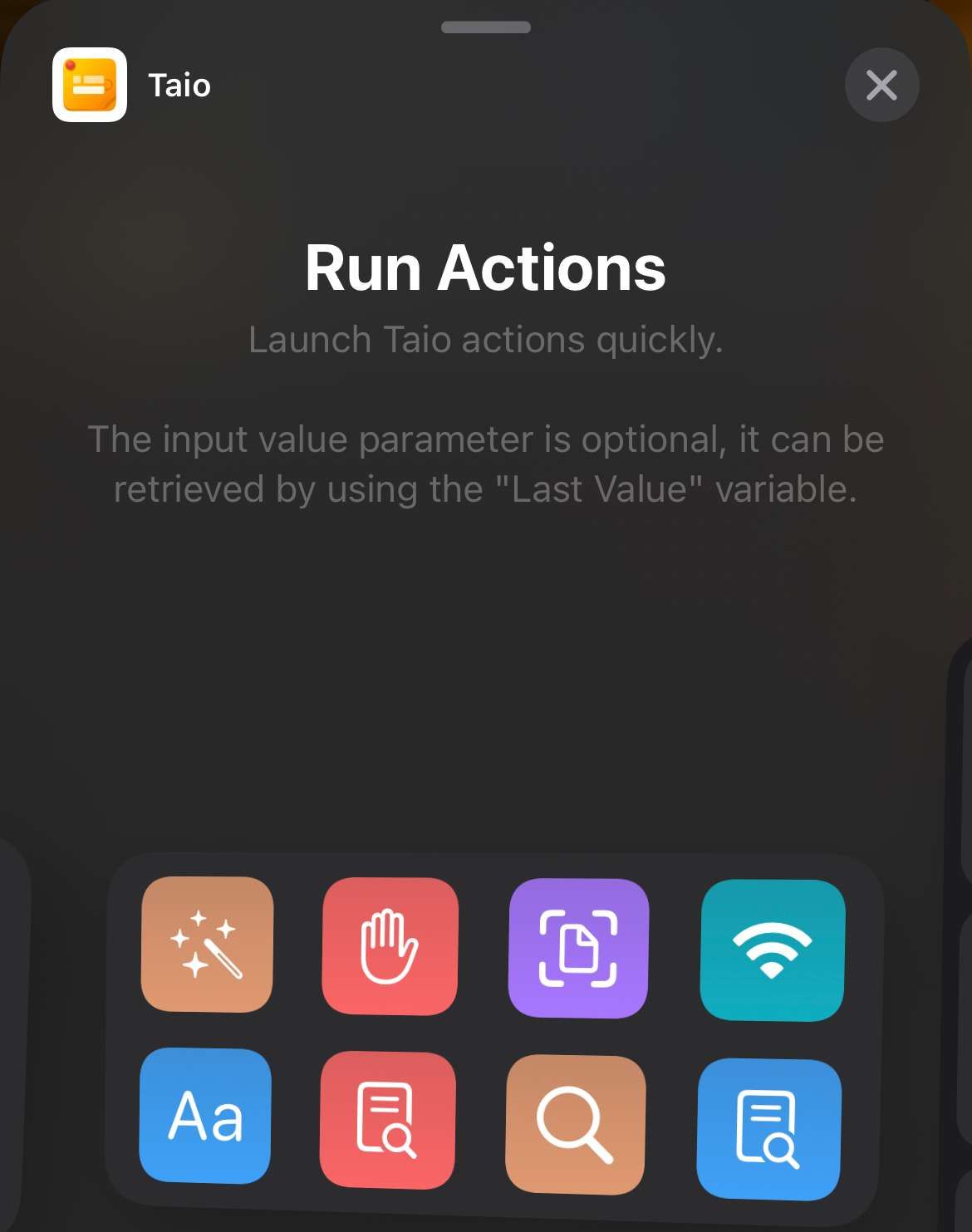
Would love to have a quick actions grid widget similar to Draft or Taio that allows me to link to commands/plugins (eg to open today/tomorrow, open a specific note, quick capture, search, etc).

Apr 23, 2023

kretpas: Drafts and Taio are two of the best note-taking apps with widget support. Anything close to their options would be aces!

Feb 11, 2022

This is a must. We need a task widget on iOS.

Nov 10, 2021

Please give us an option to show than only open tasks in a Today Note, divide with ## Headers ## Focus Today * Task 1 * Task 2 #Evening * Task 3 * Task 4

Sep 28, 2022

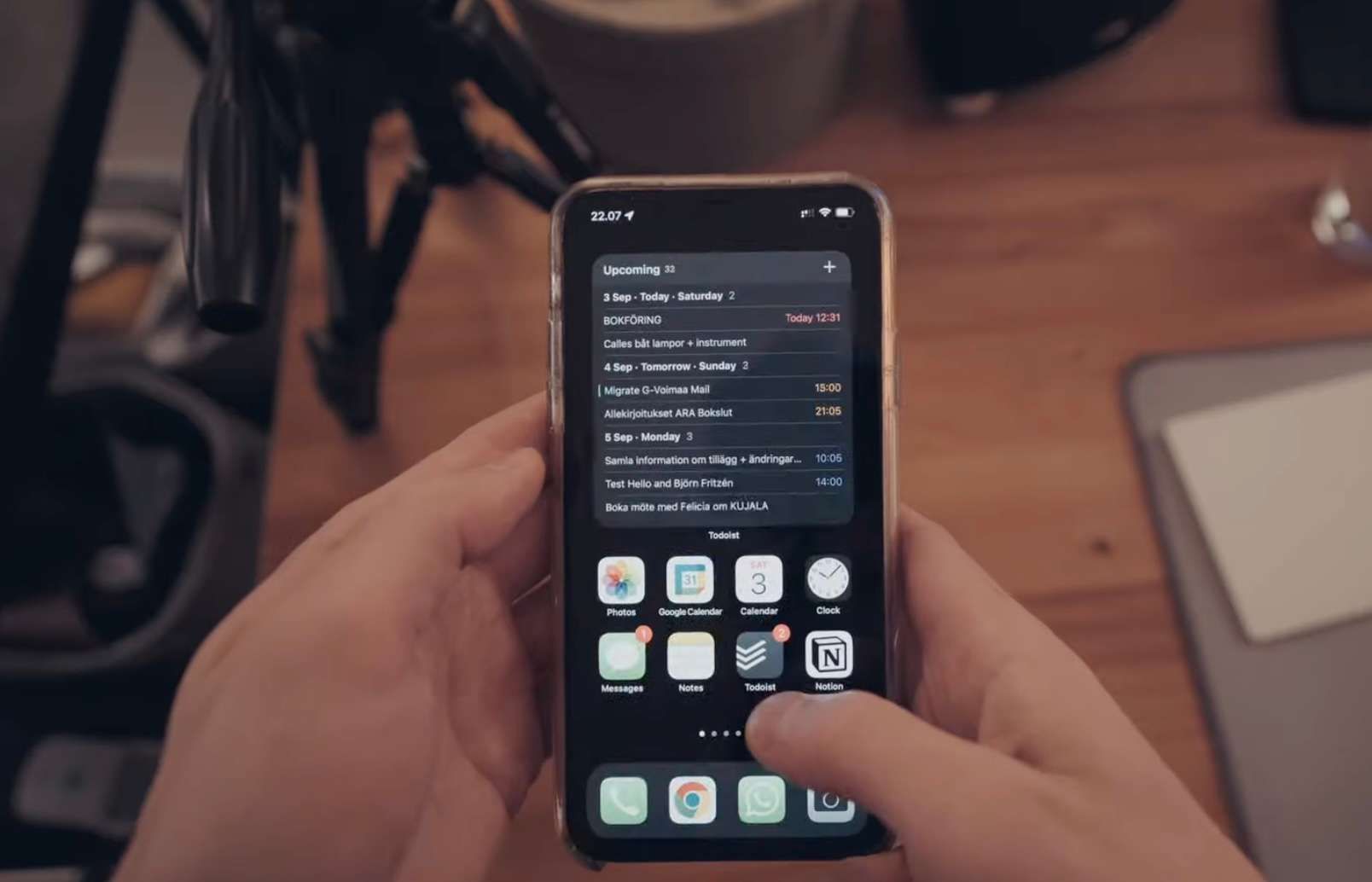
Dimitry Jacobs: Like that! (Todoist widget featured in https://www.youtube.com/watch?v=0f3RFISczcM)

Aug 23, 2021

I would really appreciate this if this can be implemented. For now, I subscribe Fantastical and use its widget version to check the reminders and events together. If the widget of Noteplan can be put into the plan, I would be able to check both reminder, events and tasks together using Noteplan on the home screen.

Jul 11, 2021

I'd love a task widget (displays all tasks, or maybe filtered).

Apr 29, 2021

Yes yes yes

Apr 18, 2021

Even doing something simple as a widget that opens a single note will be enough : - today's note - a note that we can specify in the widget's configuration In the beginning I think this will be enough, and I don't think it is very hard to do (for now I'm using shortcuts to do this, but it will be way cooler to have something that's prettier than the ugly 1 color shortcuts' widget)

Jul 30, 2021

podiboq: Would you share your Shortcut?

Sep 6, 2022

podiboq: I created a Shortcut that opened a specific NotePlan-note, then activated "3-tap the back of iPhone" from Accessibility Settings. Result: When I tapped my finger 3 times on the back of phone I was directly sent to desired note. Can't really get faster than that.

Mar 18, 2021

Yes! Please!