NotePlan
NotePlan
Mar 28

Wording: call schedule "schedule" again

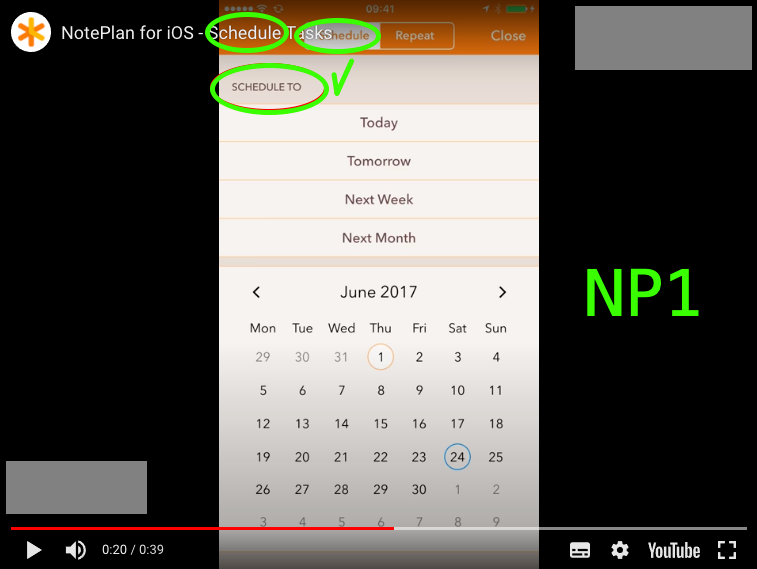
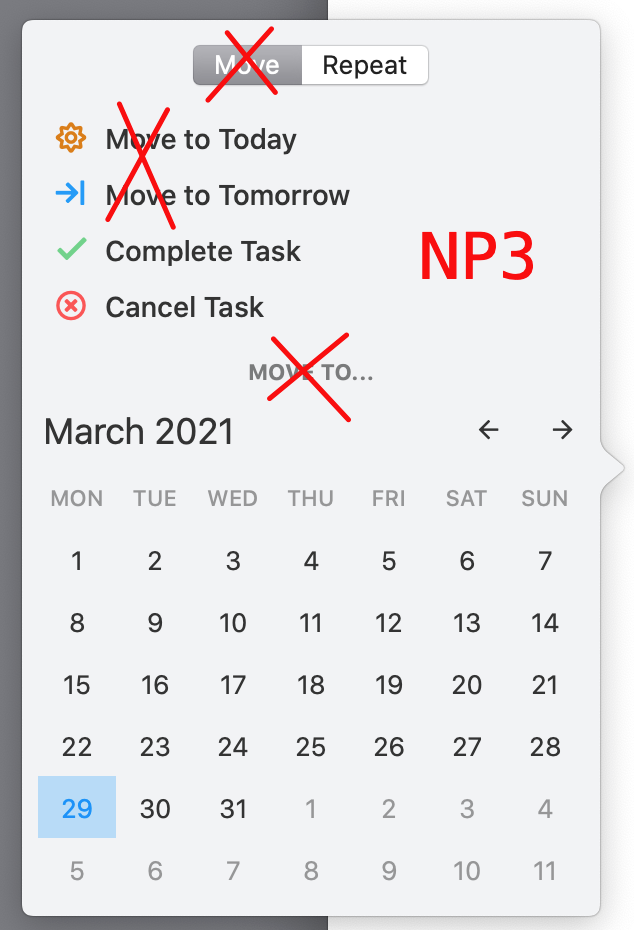
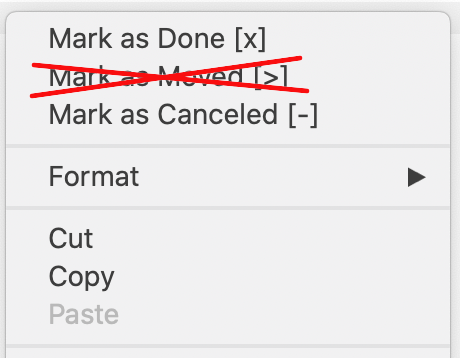
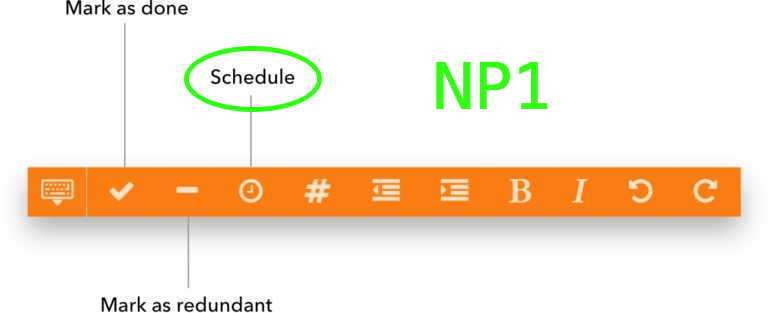
In [Noteplan 1](https://www.noteplan.co/blog/noteplan-for-iphone-and-ipad-wa…) the command to schedule tasks was called "schedule". In NP3 it's called "move". The original wording made more sense. Can we have it back? The word *move* is an odd choice for a scheduling command that does *anything but* move a task: - It is *impossible* to configure NP 3.0.19, so that scheduling just moves a task from one note to another. - Rescheduling a task in a day note creates a copy in another day note. It does *not* remove the rescheduled task from the current day note. - Appending a date tag to a regular note leaves the task in place, it neither copies *nor* moves the task - "Mark as Moved [>]" opens a context menu that includes the option to create @repeat(…) tasks. Repeat task doesn't change the original task at all Noteplan 1 used the perfect word. The verb *to schedule* includes real moving, all current behaviours and a wide range of other imaginable scheduling actions. Why not bring it back? Related: [Redesign task scheduling preferences](https://noteplan.canny.io/task-management/p/redesign-task-sc…), [Add "Cut & Paste" Task Moving](https://noteplan.canny.io/task-management/p/add-cut-paste-ta…)
CompletedCompleted

Apr 15, 2021

Here's a screenshot of Apple Reminders: - the smart folder for scheduled tasks is called "scheduled" - the command to schedule a task for tomorrow is *not* in the same block as "Mark as Completed" but visually *separated* by lines and other commands - the wording "Due Tomorrow" is concise, but it wouldn't translate to Noteplan. There are no due dates in Noteplan (yet). In Noteplan I would still prefer "Schedule for Tomorrow".

Apr 7, 2021

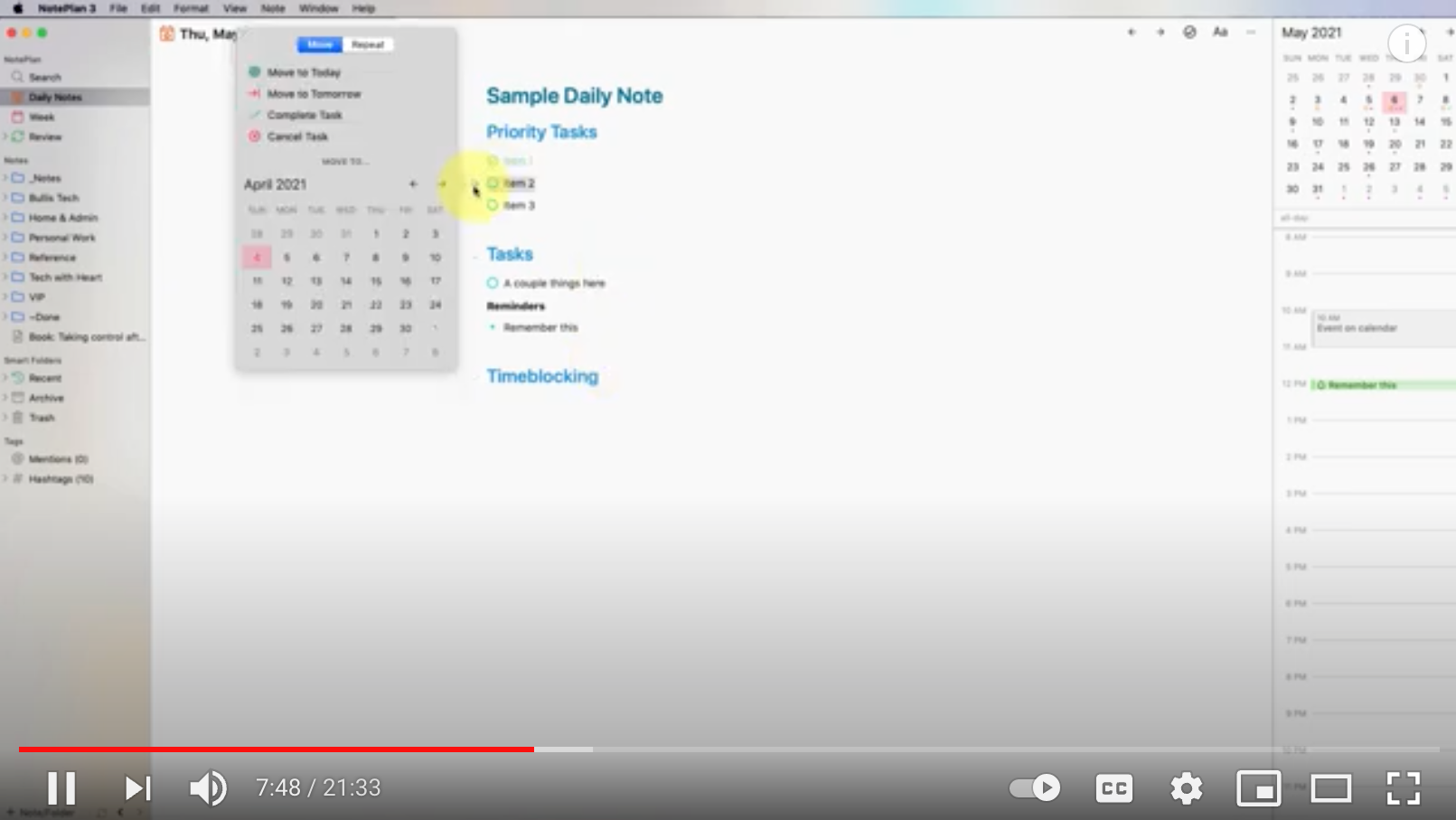
Here is an example, how the verb *to schedule for* is used in real life by a real Noteplan user. Stacey Roshan says "you can schedule things for another day" at 7:48 in her [video](https://www.youtube.com/watch?v=qd4MiV2h9LA) *How I'm Using NotePlan 3 to Organize My Day, Meeting Notes, Reminders, My Daily Template, and More*. At 8:40 she says, referring to the same command: "I could schedule [the selected tasks]".

Mar 28, 2021

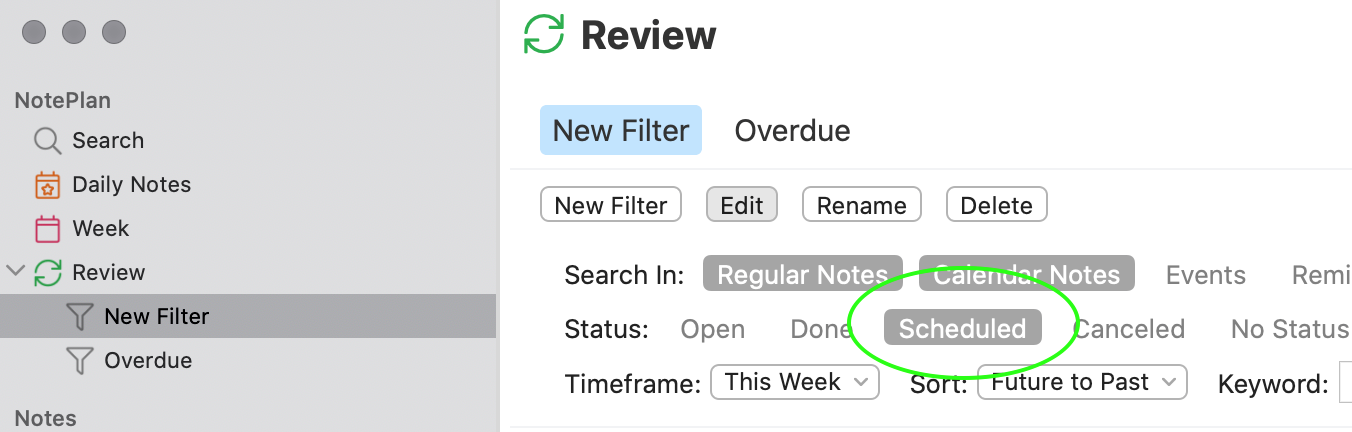
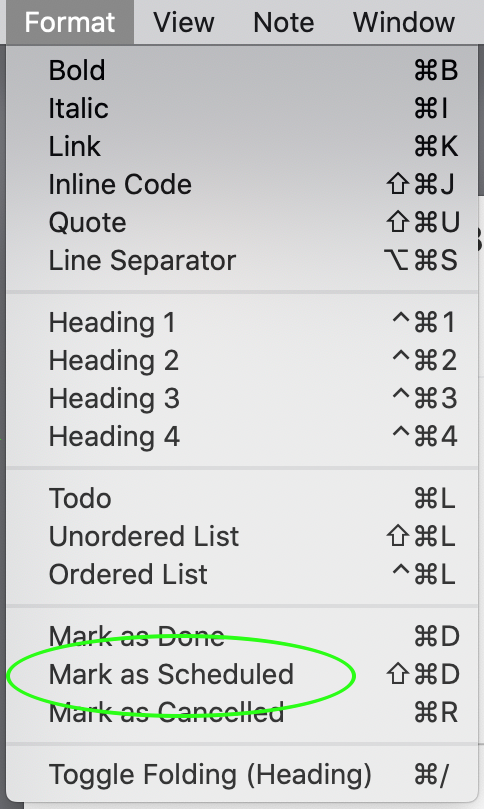
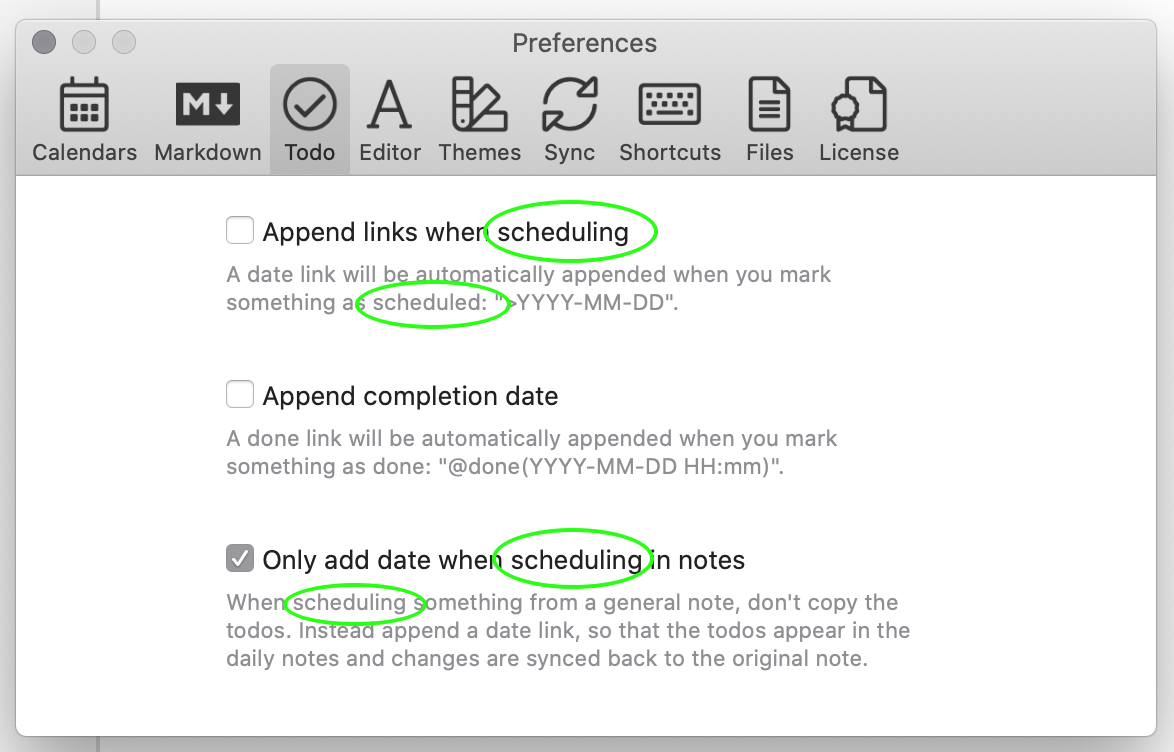
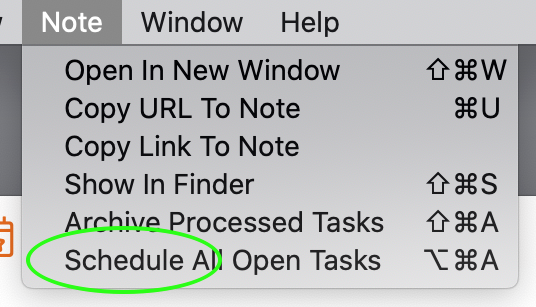
Here are some examples of the user interface that already have the requested wording. - Menu *Format > Mark as Scheduled* - Menu *Note > Schedule All Open Tasks* - *Preferences > To Do* - Editing a filter for Review All screenshots NP 3.0.19 (617)

Mar 28, 2021

I'm planning to change it so that you have all options: add just a link, copy & paste, and cut & paste

Mar 28, 2021

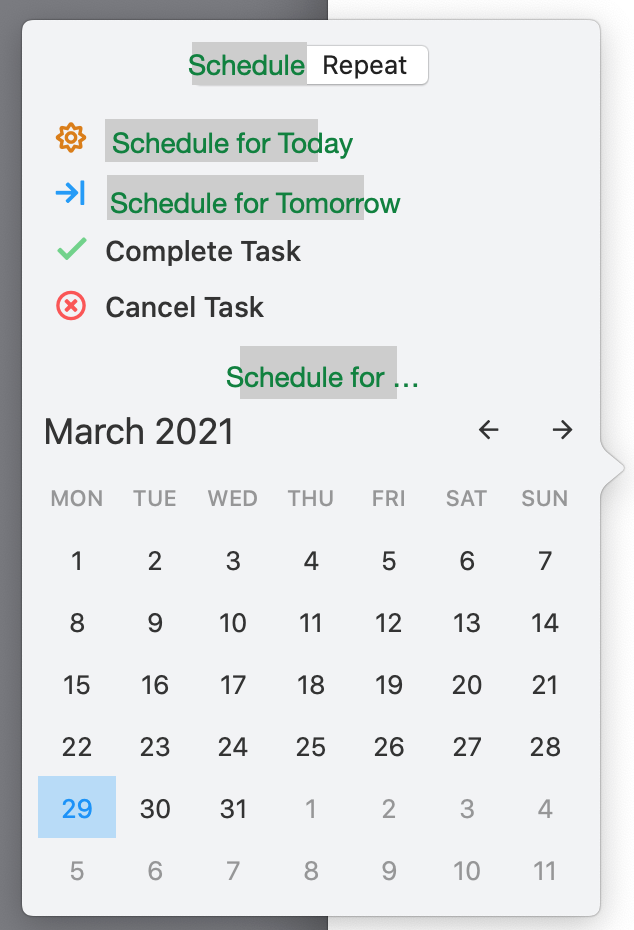
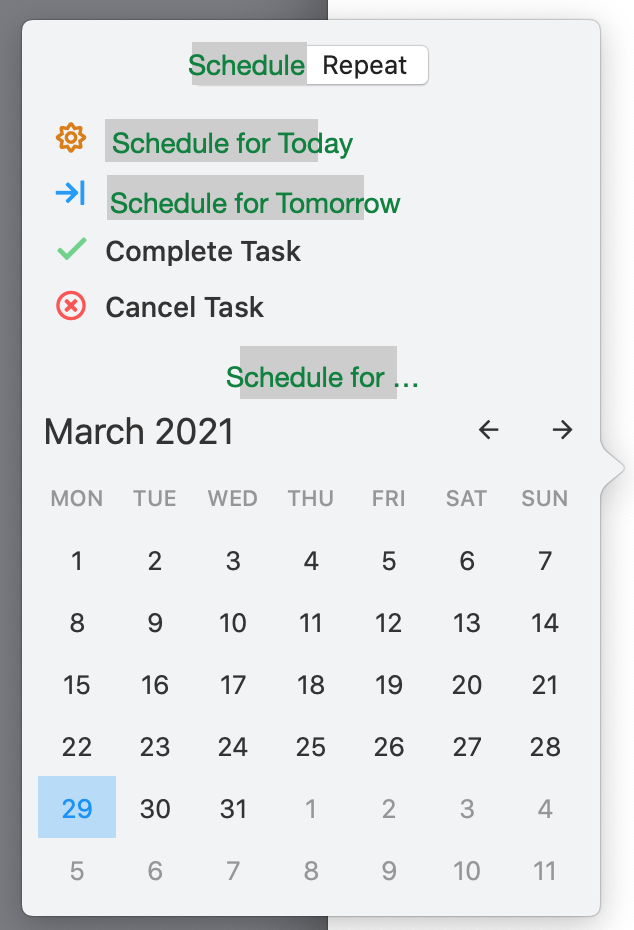
Eduard Metzger: Could you make that a separate feature request? This one here doesn't change functionality, it's about wording. The functionality is not the problem. The functionality is great! (I'd choose different default settings, but that's also a different discussion.) The problem is, that I had to watch ancient videos about Noteplan 1 to understand the functionality. Only when I heard you say "schedule" in the old videos, my brain said "Yeah, now I get it." Scheduling is the core functionality of Noteplan. I find it odd, that the scheduling functionality is not called "schedule". (See attached mockup for NP3's date picker with better wording.) Related: [Redesign task scheduling preferences](https://noteplan.canny.io/task-management/p/redesign-task-sc…)

Apr 2, 2021

Rhubarb: Ok, yes makes sense as separate feature.

Mar 28, 2021

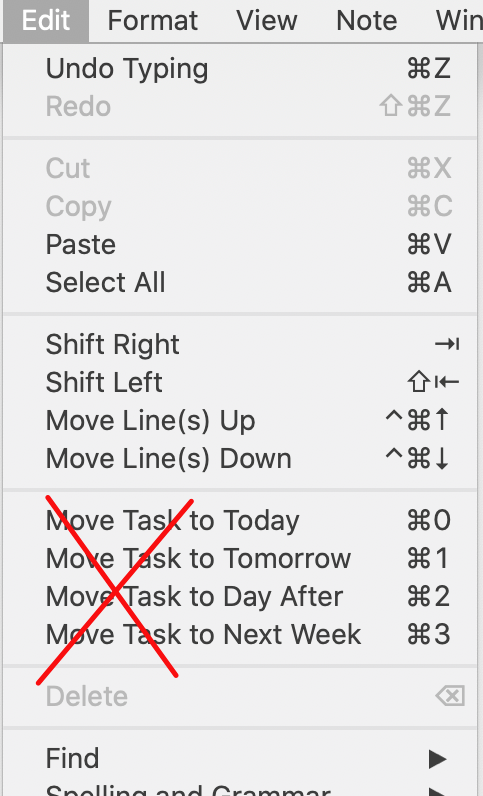
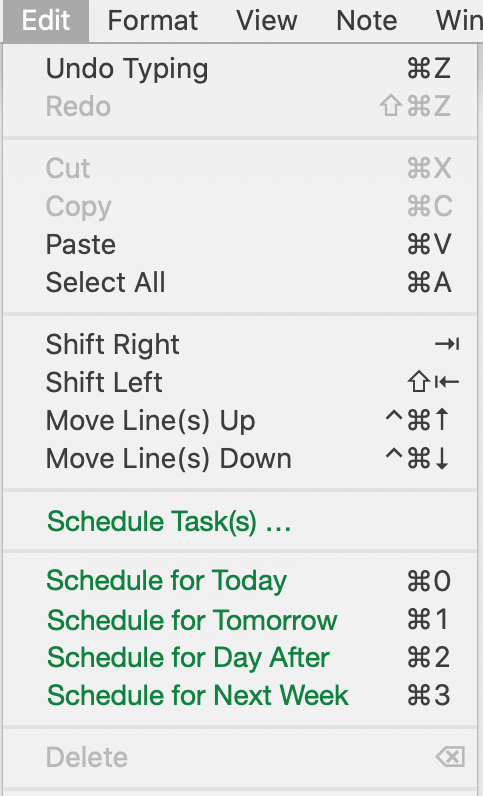
Here's another example. I learned only recently in an [old blog post](https://www.noteplan.co/blog/update-multiple-todo-selection-…), that it is possible to schedule several tasks at once. Nice! But why didn't I discover this useful feature in the app itself? Because there is no "schedule" command. I noticed only commands called "Move Task To". The singular implied, at least in my ears, that only one task can be moved at at time. I wasn't aware that this command triggers a much more interesting behavior: - It can be used for more than one task at a time. - It does not move/copy *all* tasks, but only *open* tasks. - And it copies not just tasks, but also headings. The functionality is great, but the wording is misleading. I'd prefer these commands to be called "Schedule for". Then I wouldn't be disappointed, that this command doesn't actually "move" a task. On the contrary, I would expect complex behavior that depends on the selected items, their context and my preference settings. BTW, I wouldn't mind an additional menu item with a generic "Schedule Task(s) …" command.

Mar 28, 2021

Some good analysis here. (Personally I have scripts that do actually *move* items marked `>date` between notes as I find that cleaner.)

Mar 28, 2021

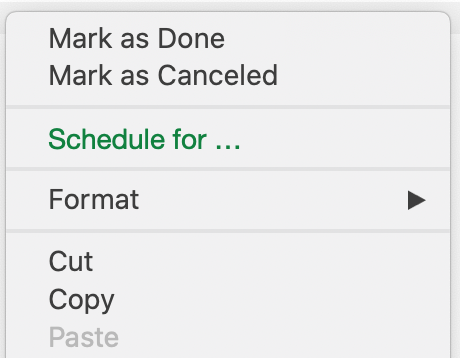
Here is an example how the original wording in NP1 makes more sense than the current wording in NP3. The current menu item "Mark as Moved" is a contradiction in itself. When I look up "to move" in [a dictionary](https://www.merriam-webster.com/dictionary/move), I read "to transfer (something, such as a piece in chess) from one position to another". Only a task that was *not* transferred to another position, can be *marked* in its original position. Call the menu item "Schedule …" or "Schedule for …" and everything makes sense again. Scheduling is a complex action with many options. Who knows in advance, which option the user will pick? Marking the original task with `- [>]` is just *one of many* possible outcomes. "Schedule for …" is perfectly compatible with Apple's [Human Interface Guidelines](https://developer.apple.com/design/human-interface-guideline…) ("Describe the action that occurs when the menu item is chosen"). It's perfectly compatible with the [dictionary definition](https://www.merriam-webster.com/dictionary/schedule) of *to schedule*: "to appoint, assign, or designate for a fixed time". This is just a change of wording. The functionality is still the same!